 Game Day Board
The youth soccer app for game day. Plan the lineup, share one link with parents, and run the match live.
Build lineups in minutes, let parents follow from one link, and run the live clock and substitutions from the touchline.Plan every period side by side on your laptop, share one link so parents see where their child plays, and run the live clock and substitutions from your phone on game day.
By signing in, you agree to our Terms of Use and Privacy Policy.
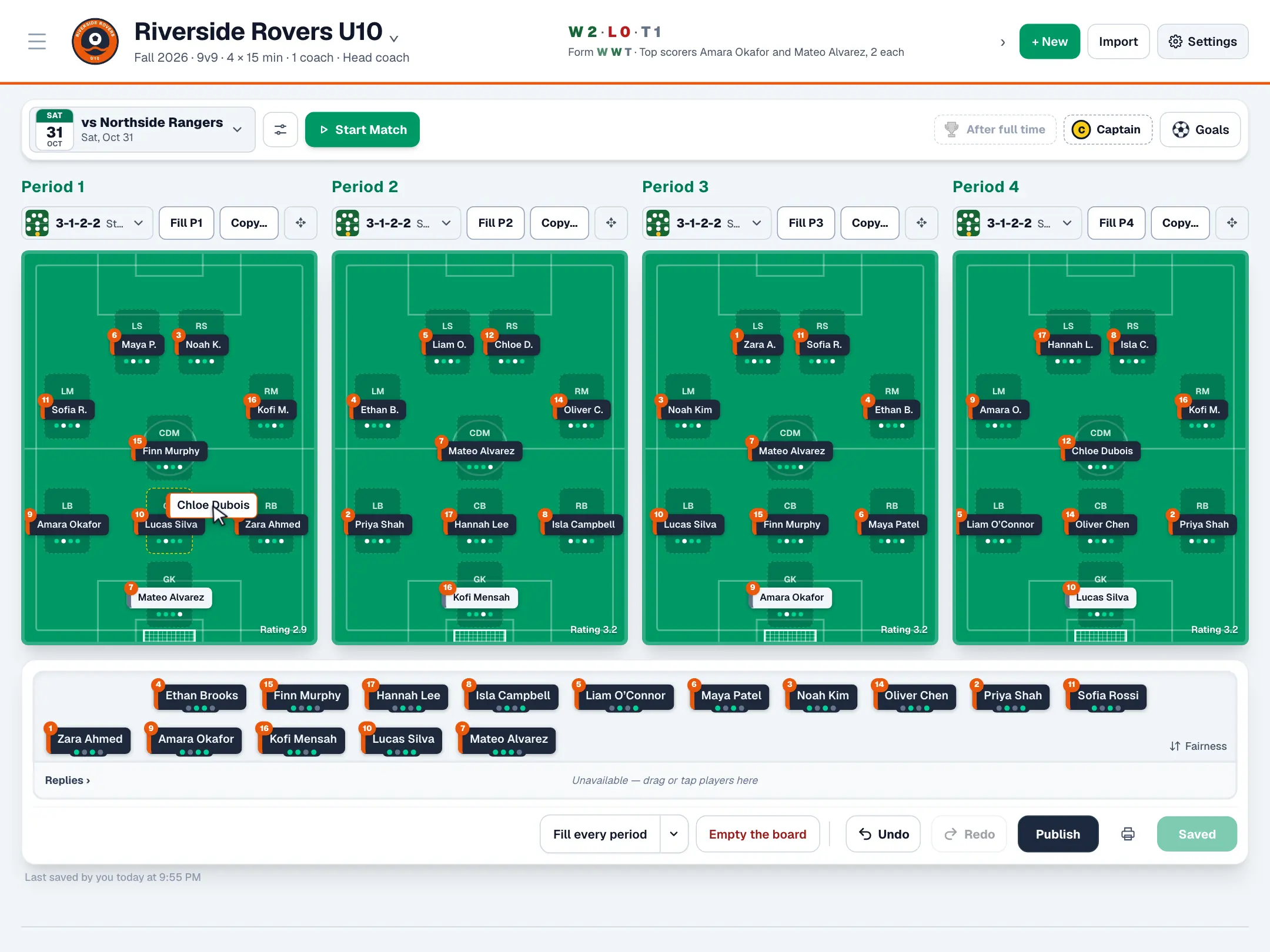
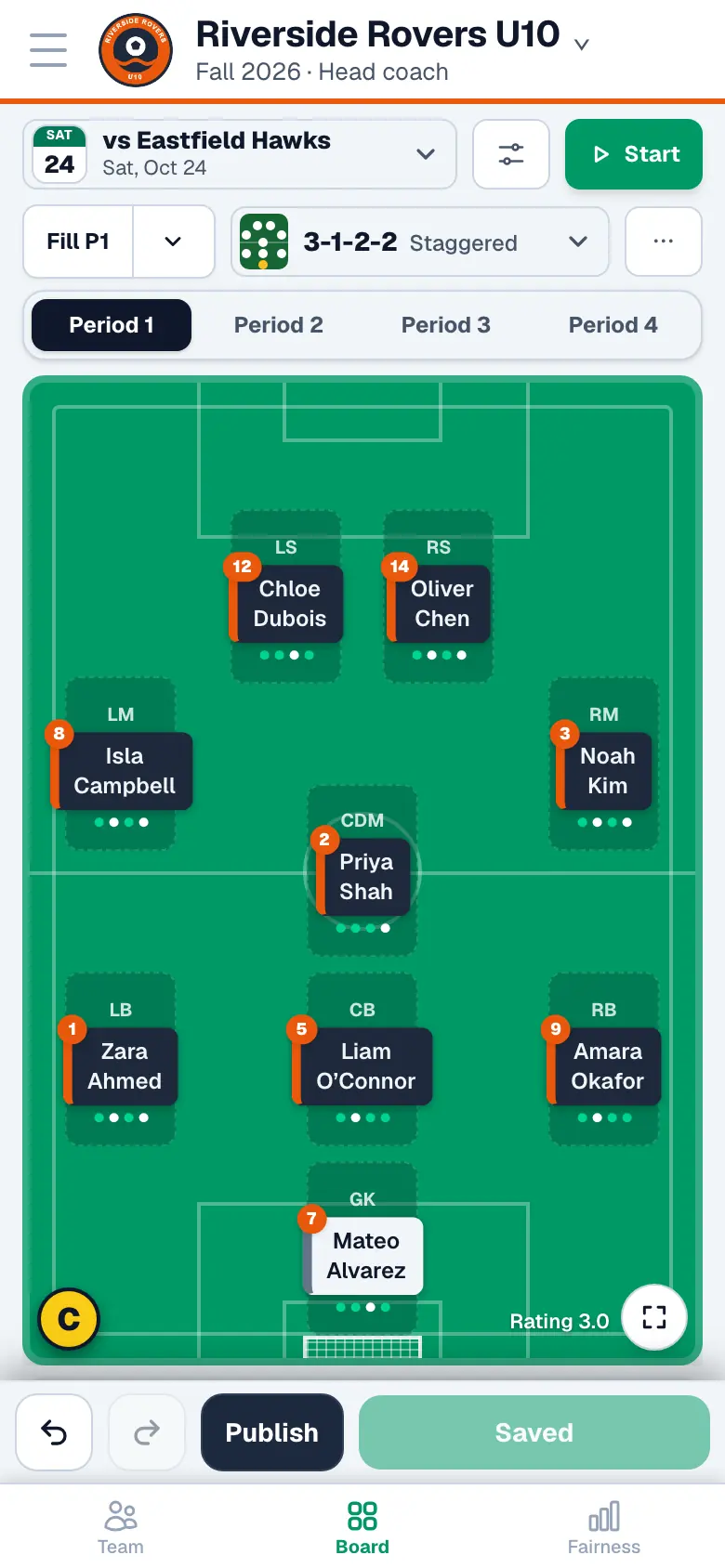
Plan the lineup in minutes
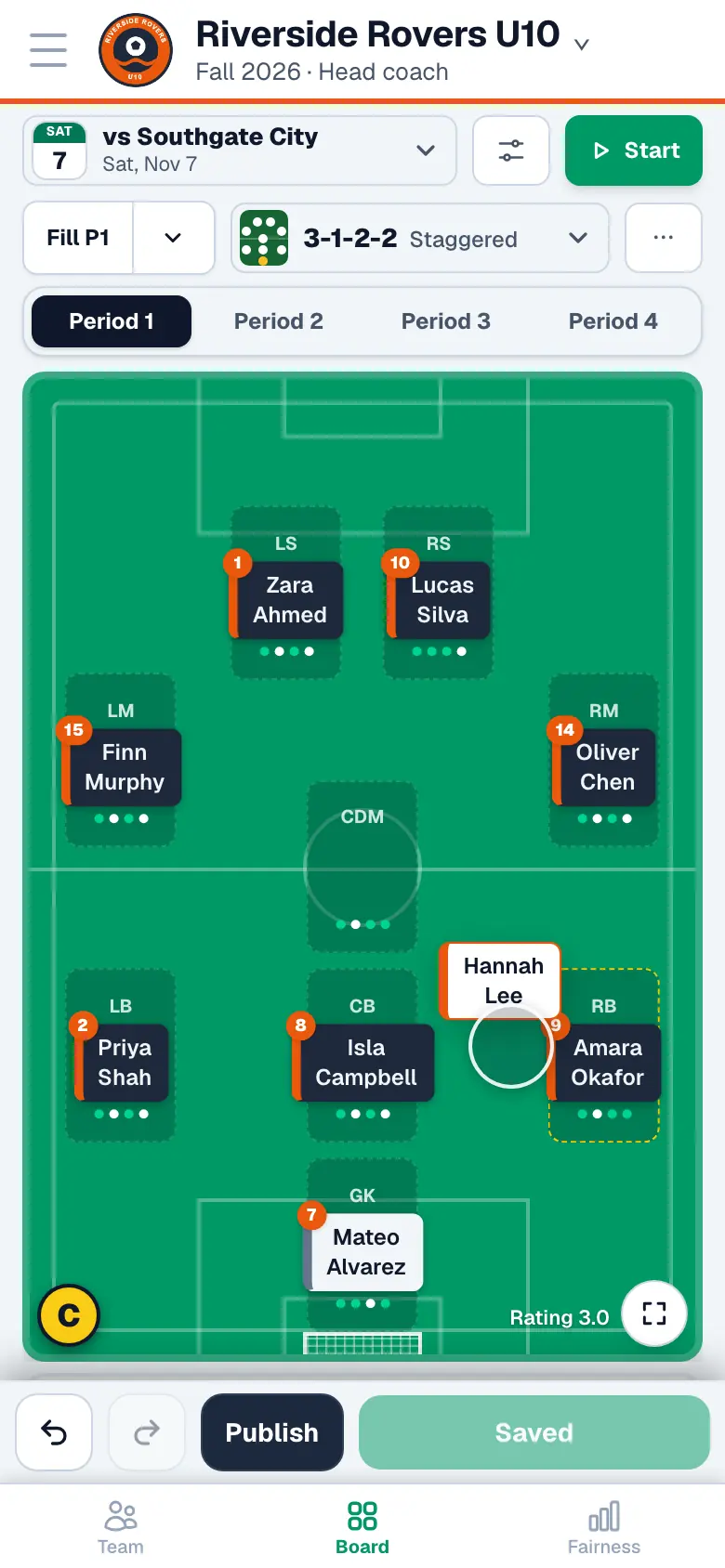
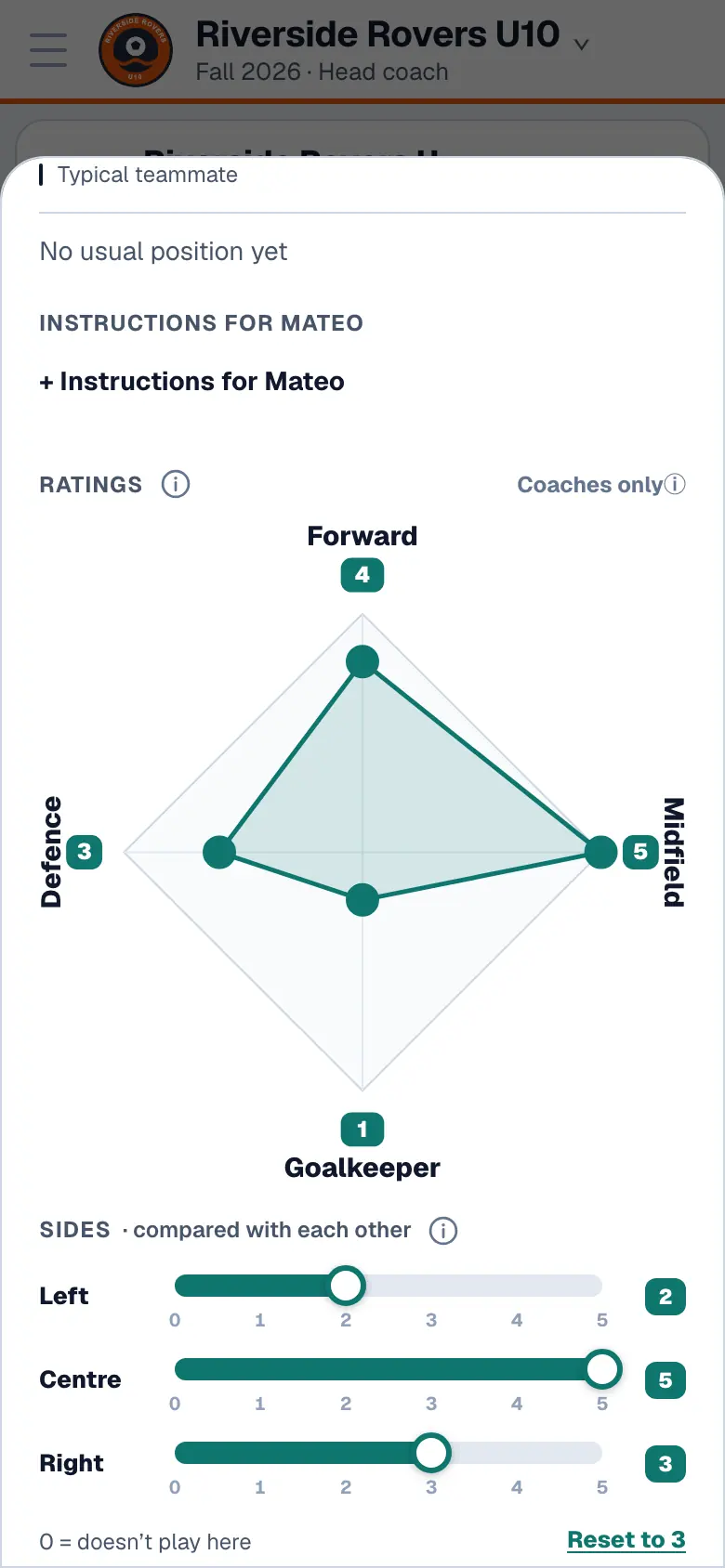
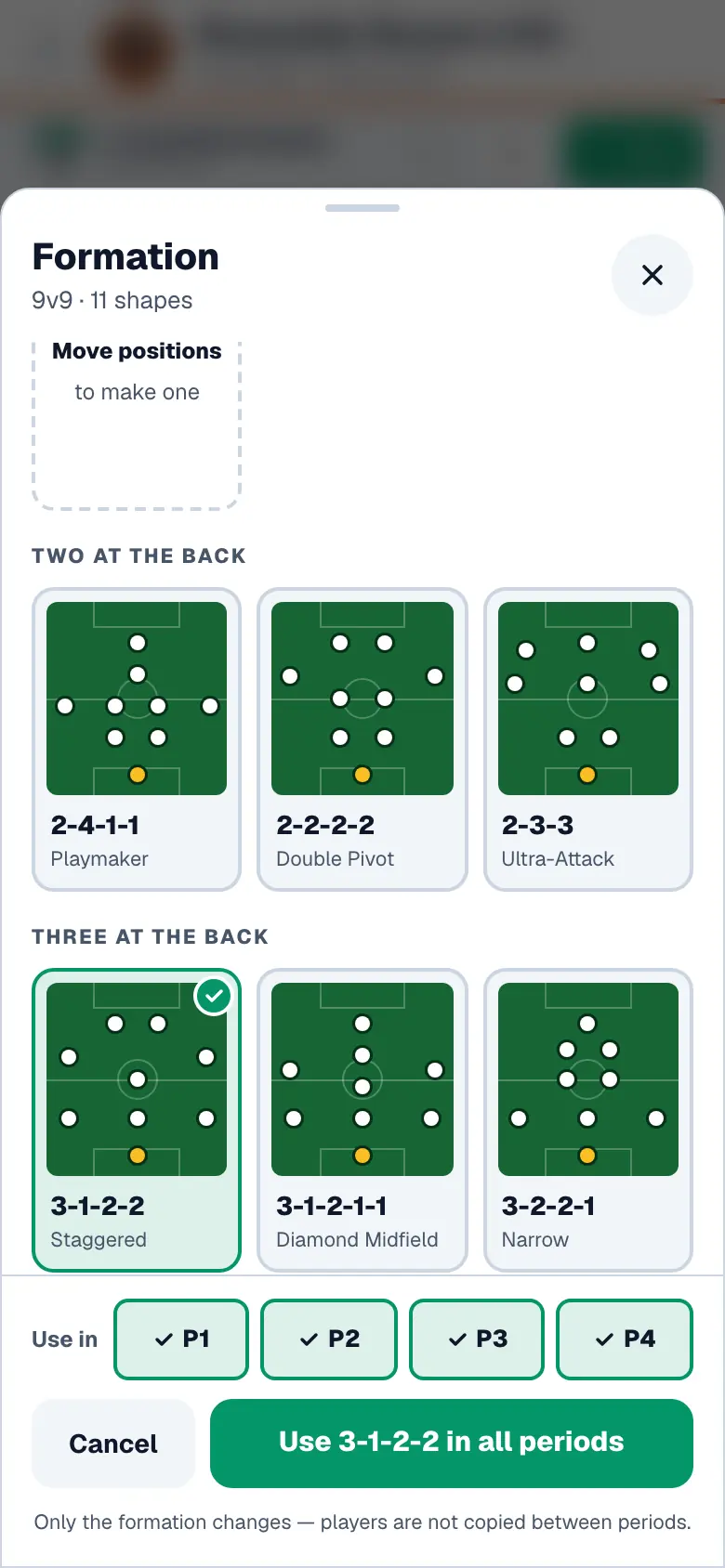
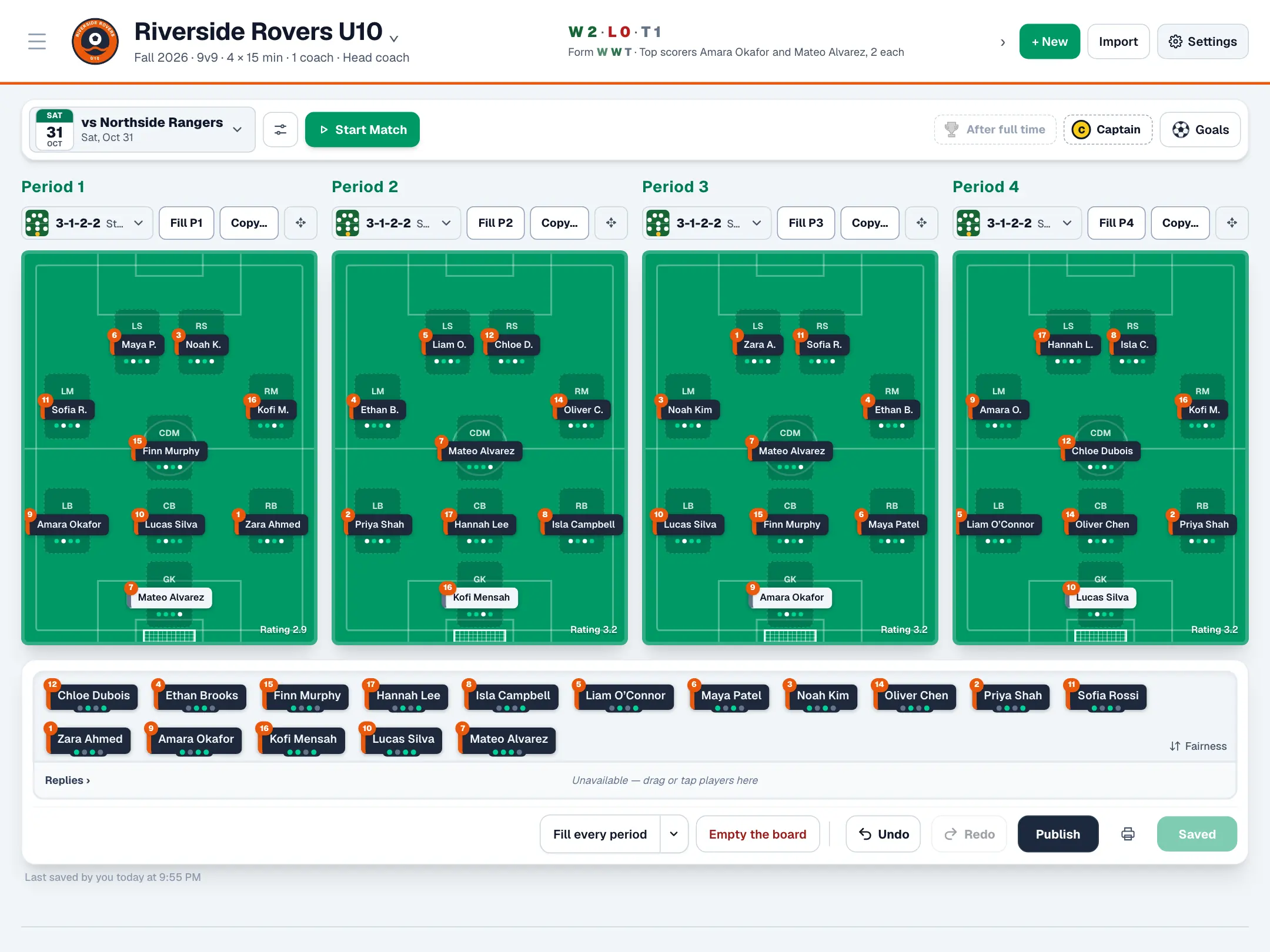
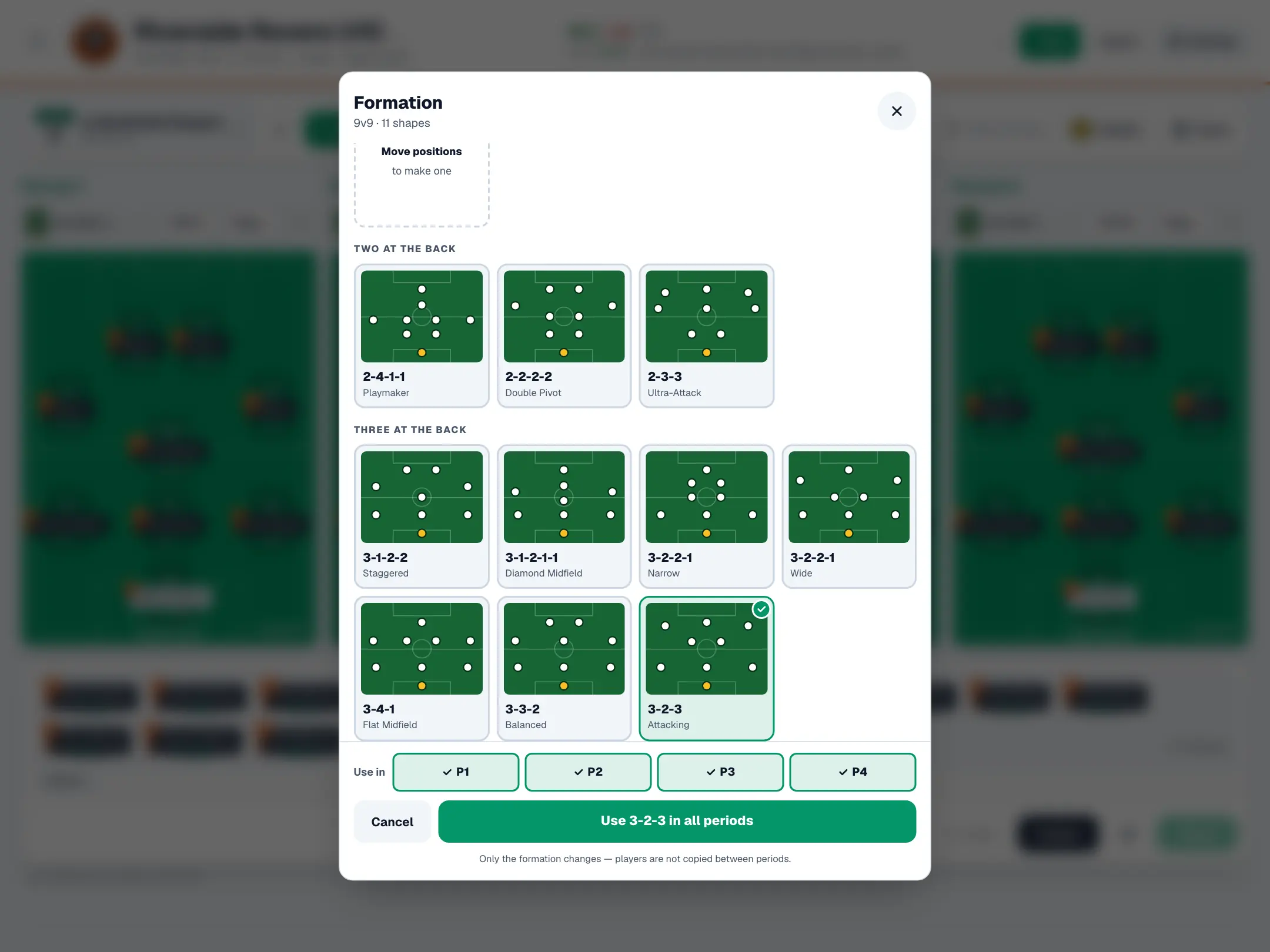
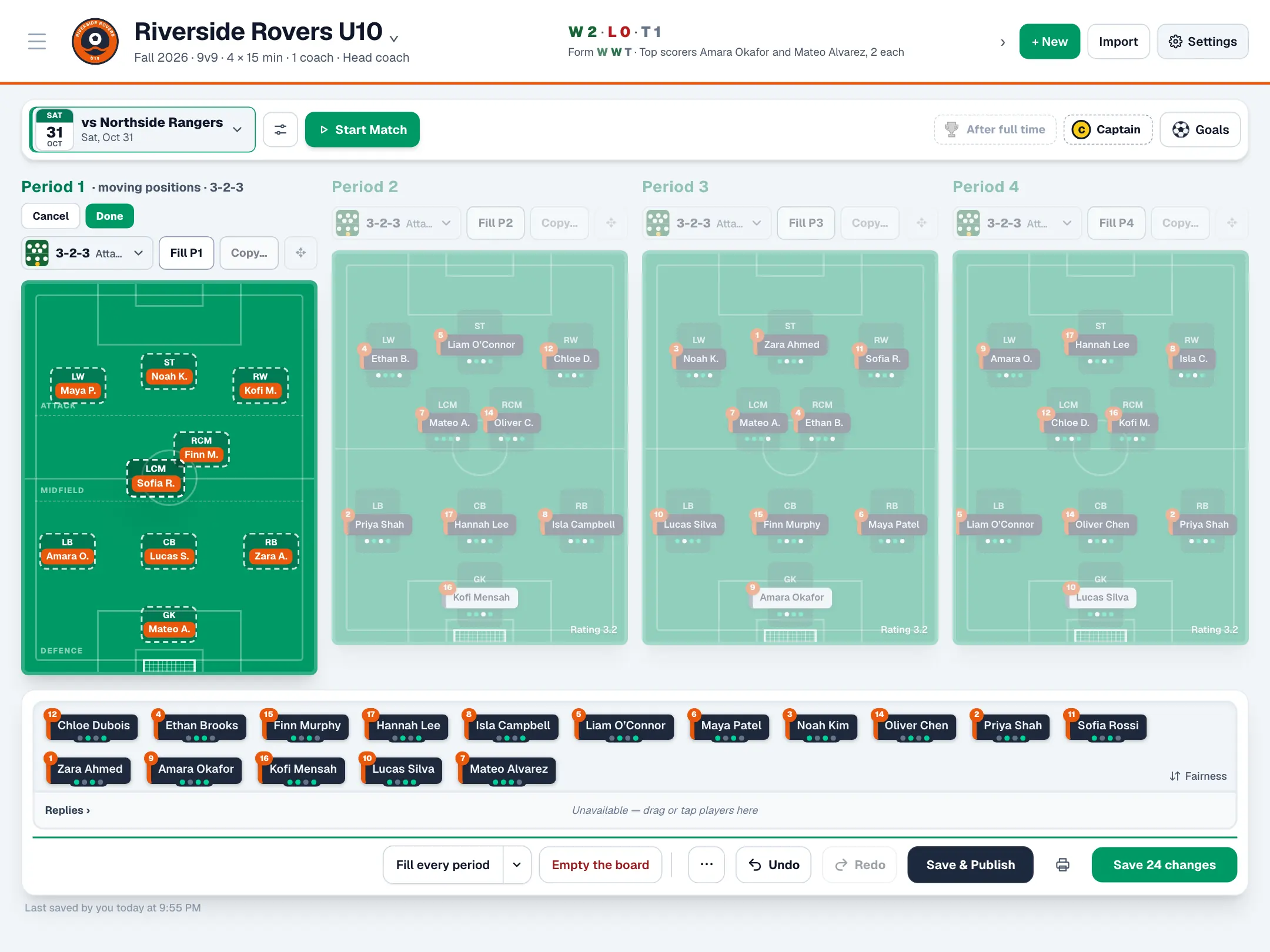
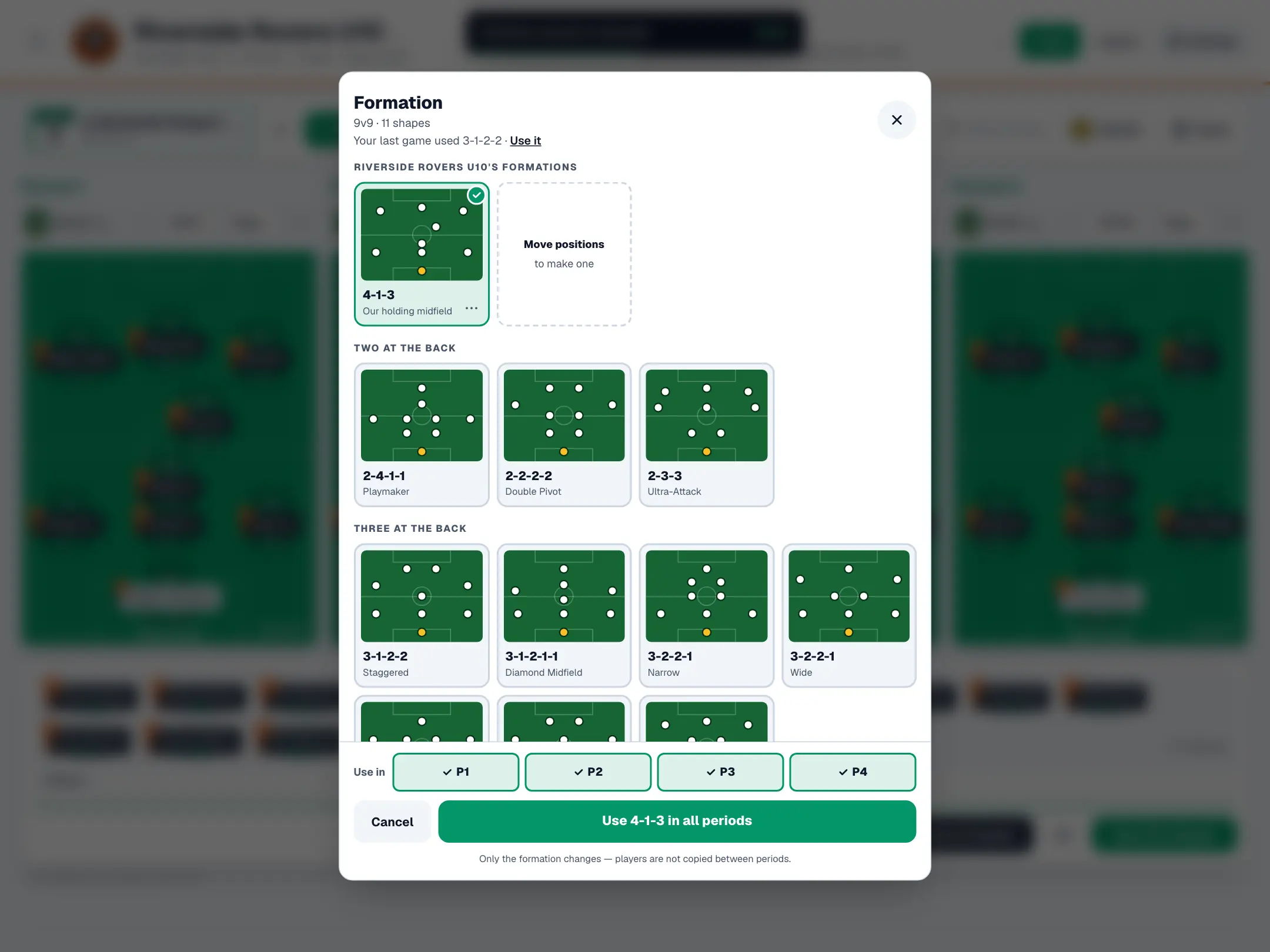
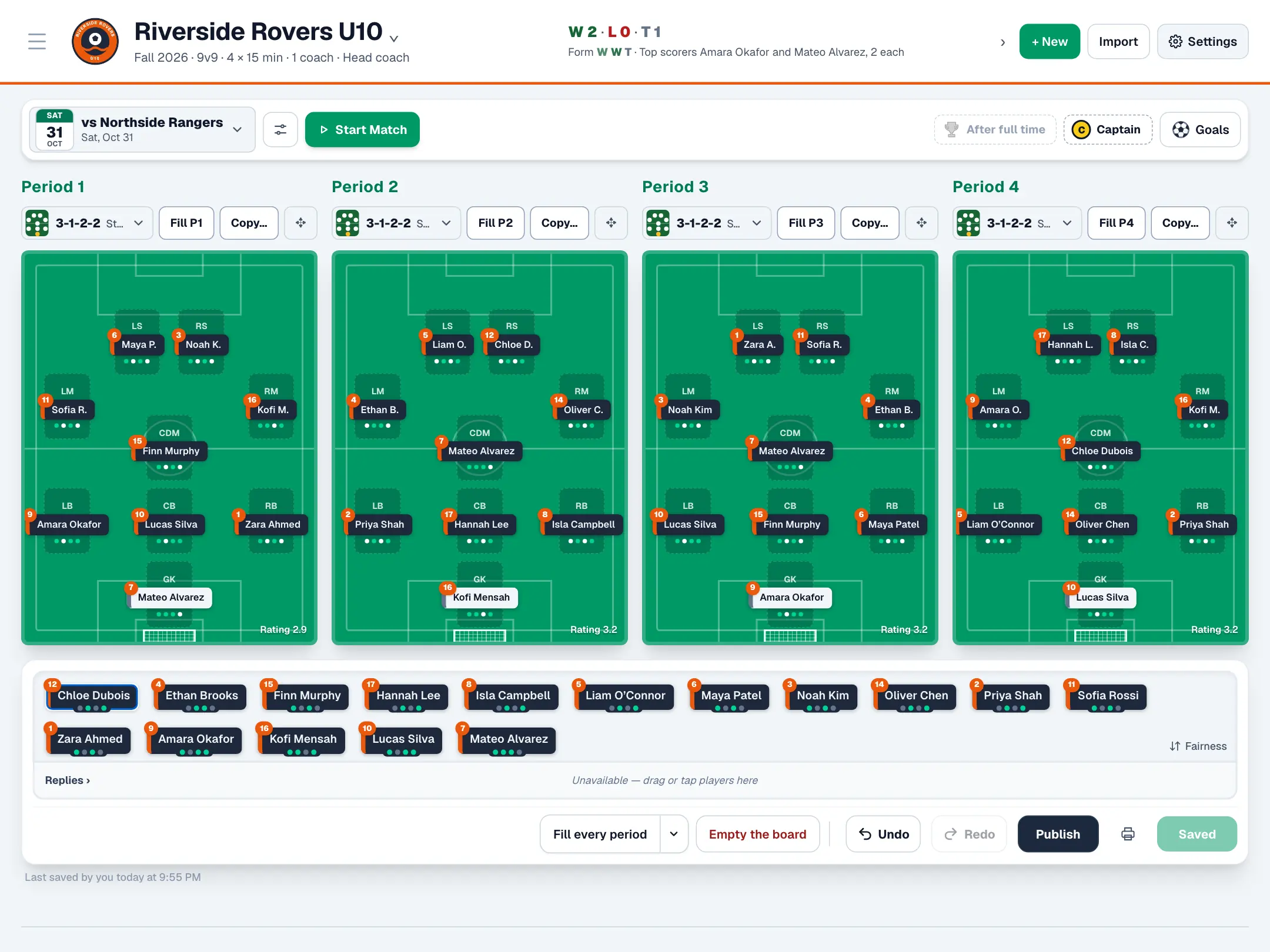
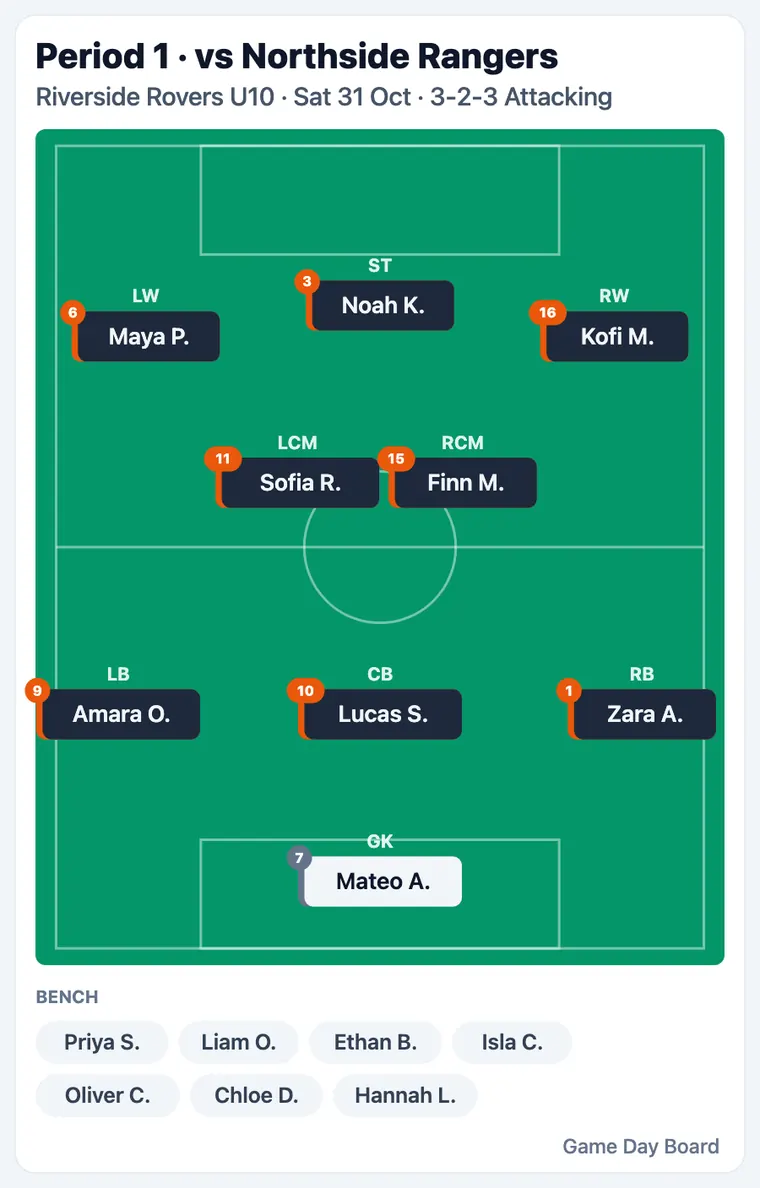
Drag players onto the pitch or let Autofill build every period around their best positions. Pick a formation by its shape, or move any position on the pitch and save it as your team's own formation.
The week before
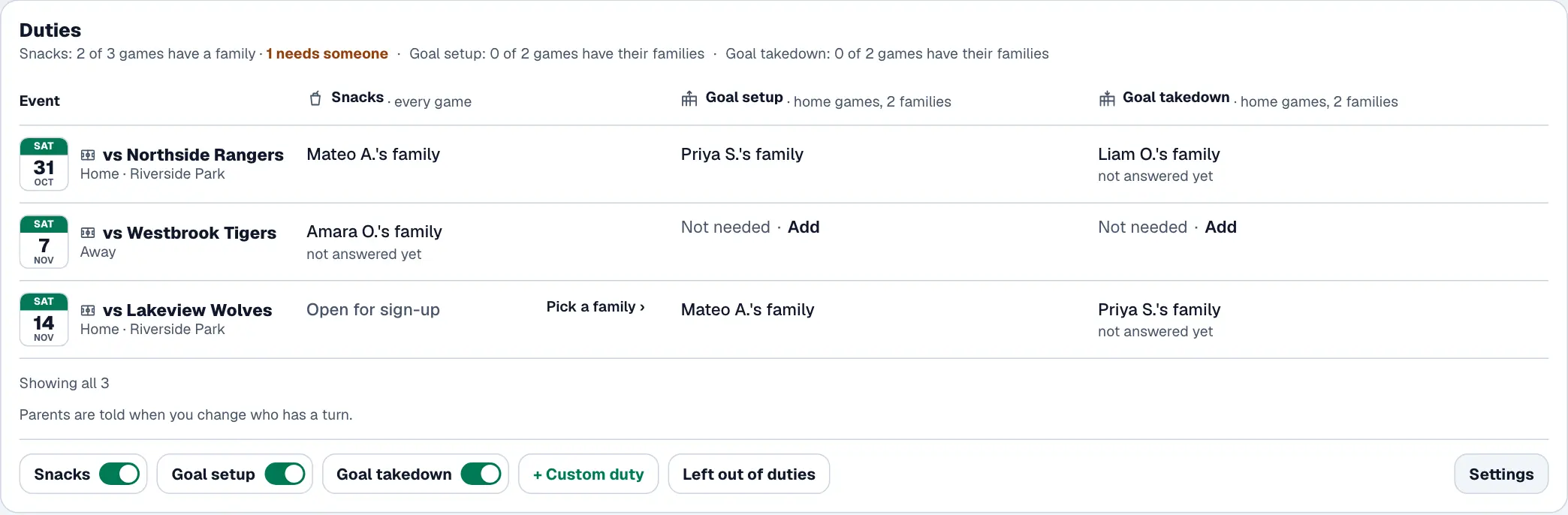
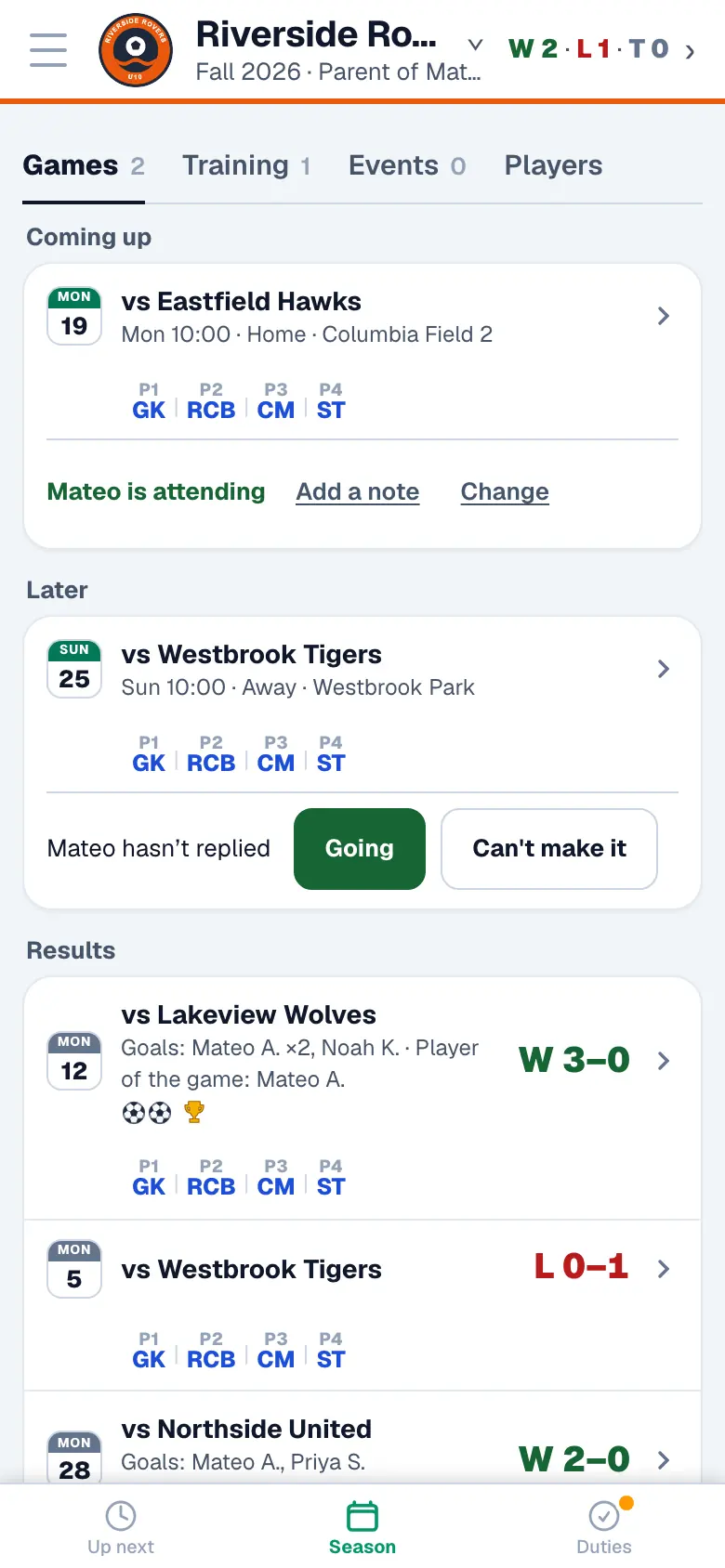
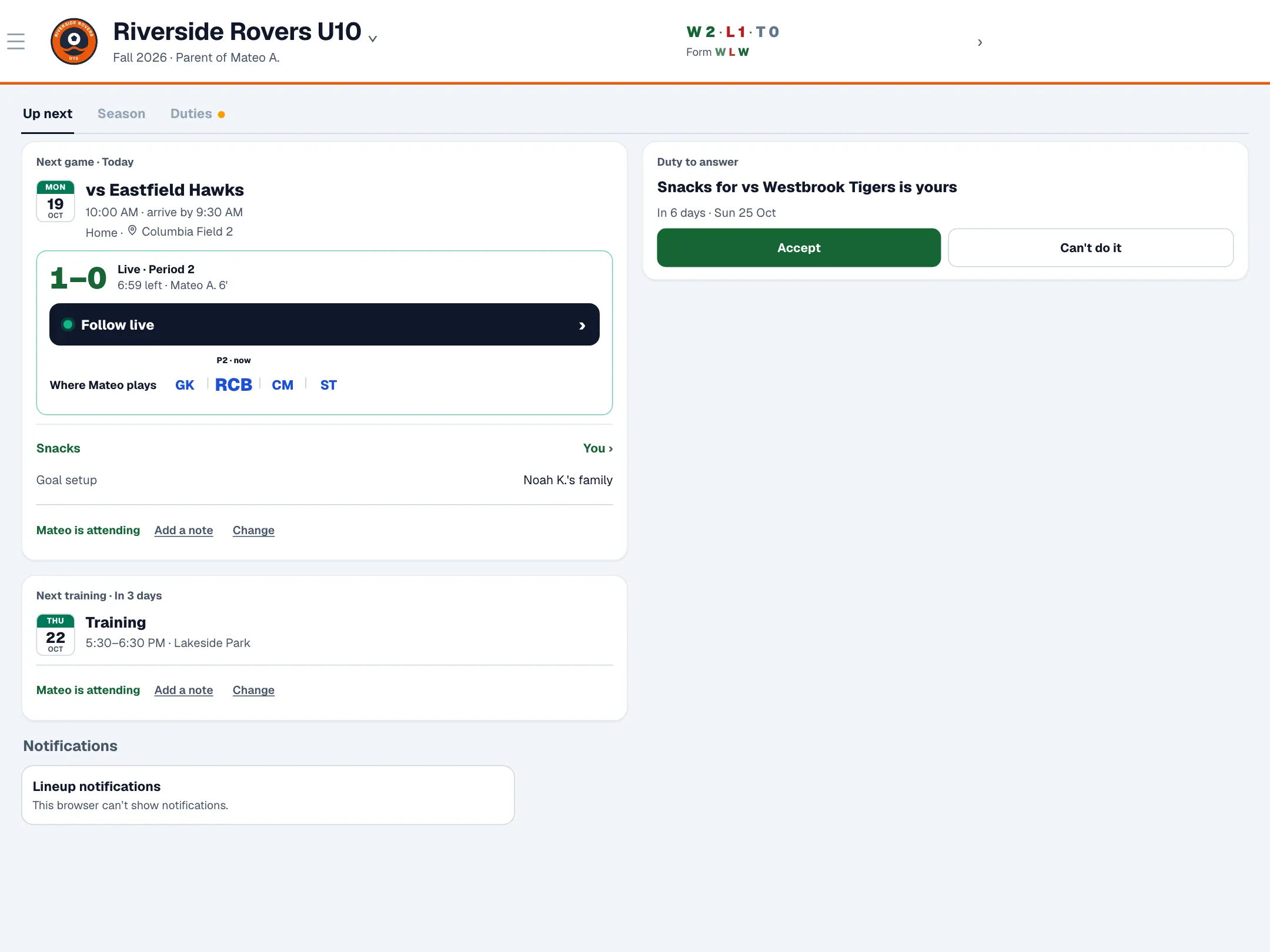
Optionally, parents reply with one tap, and you see who's coming as you plan. Snacks and goal setup are shared out fairly between players or families.
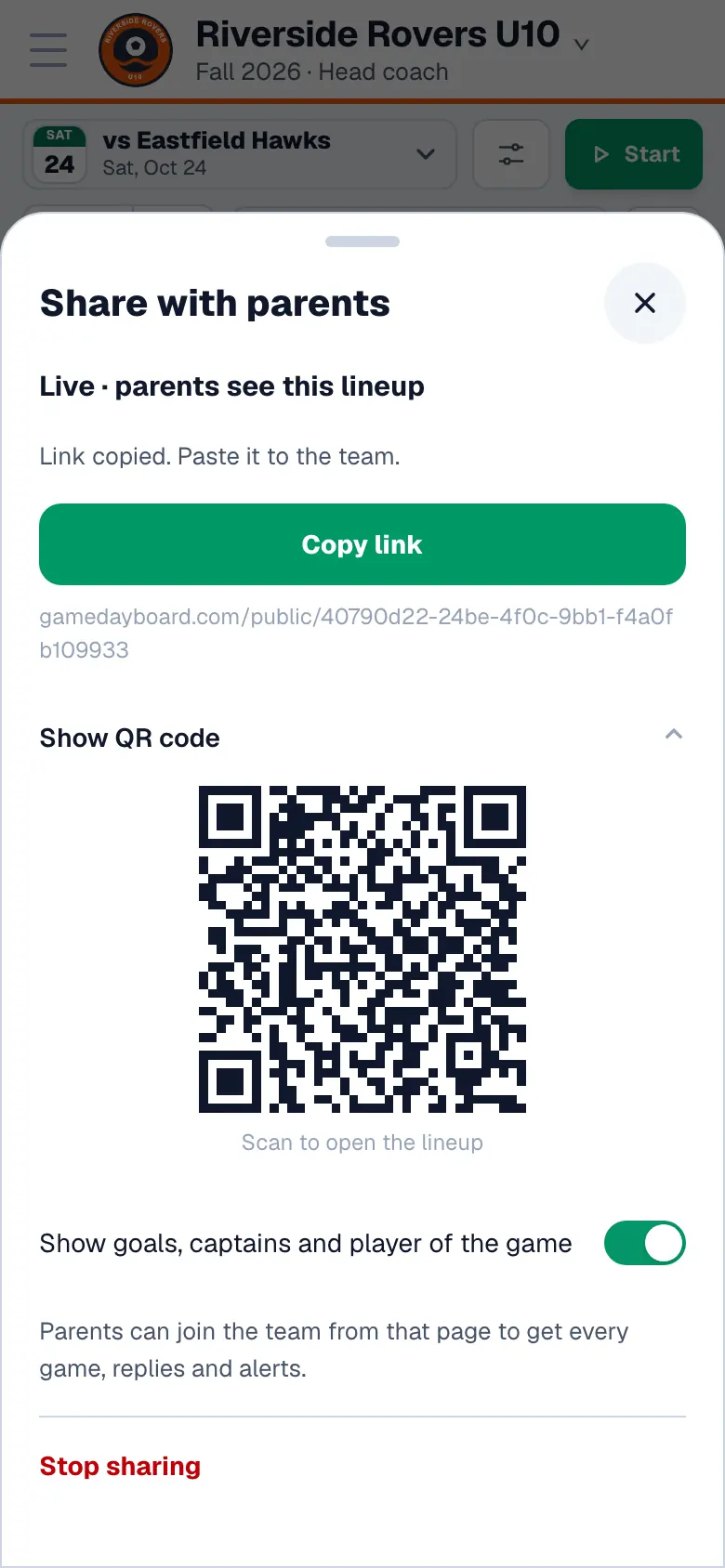
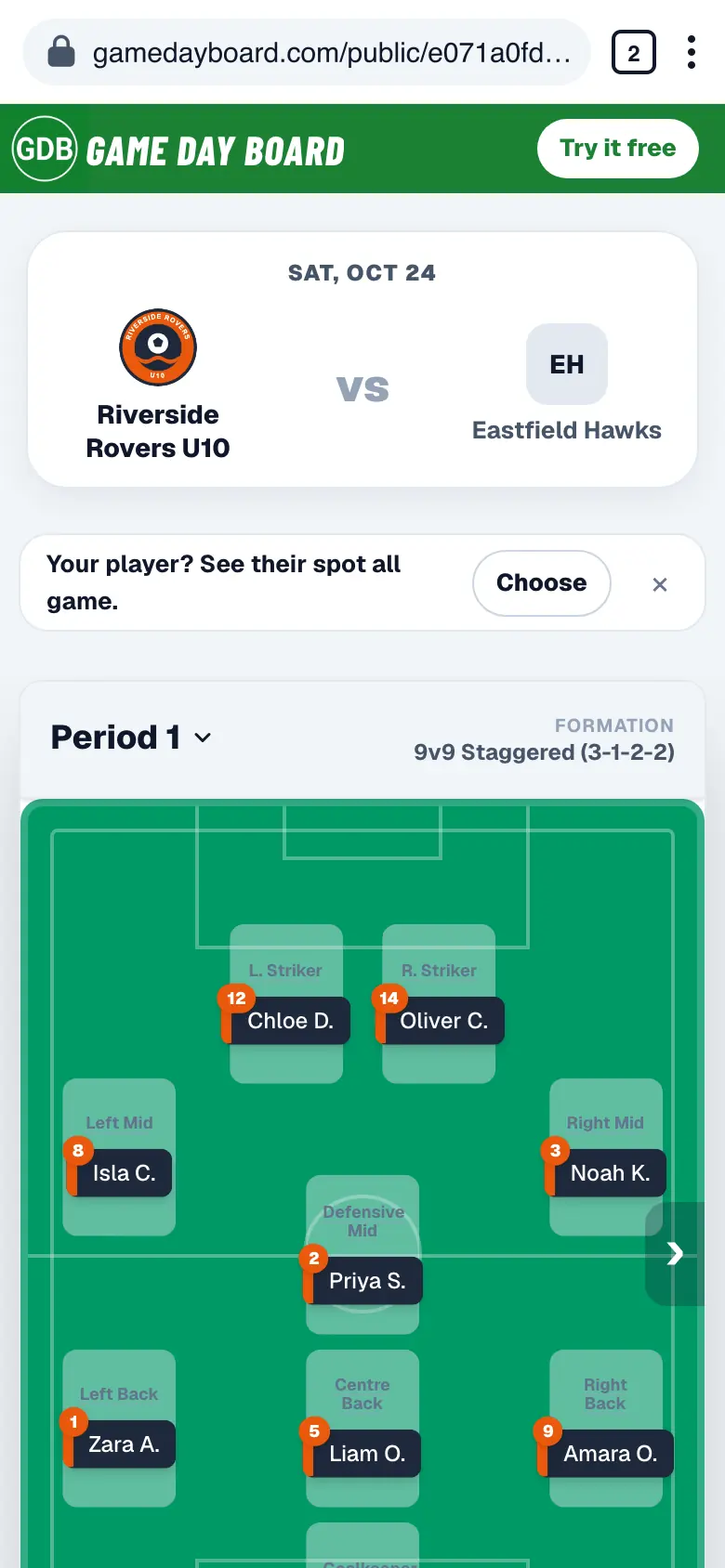
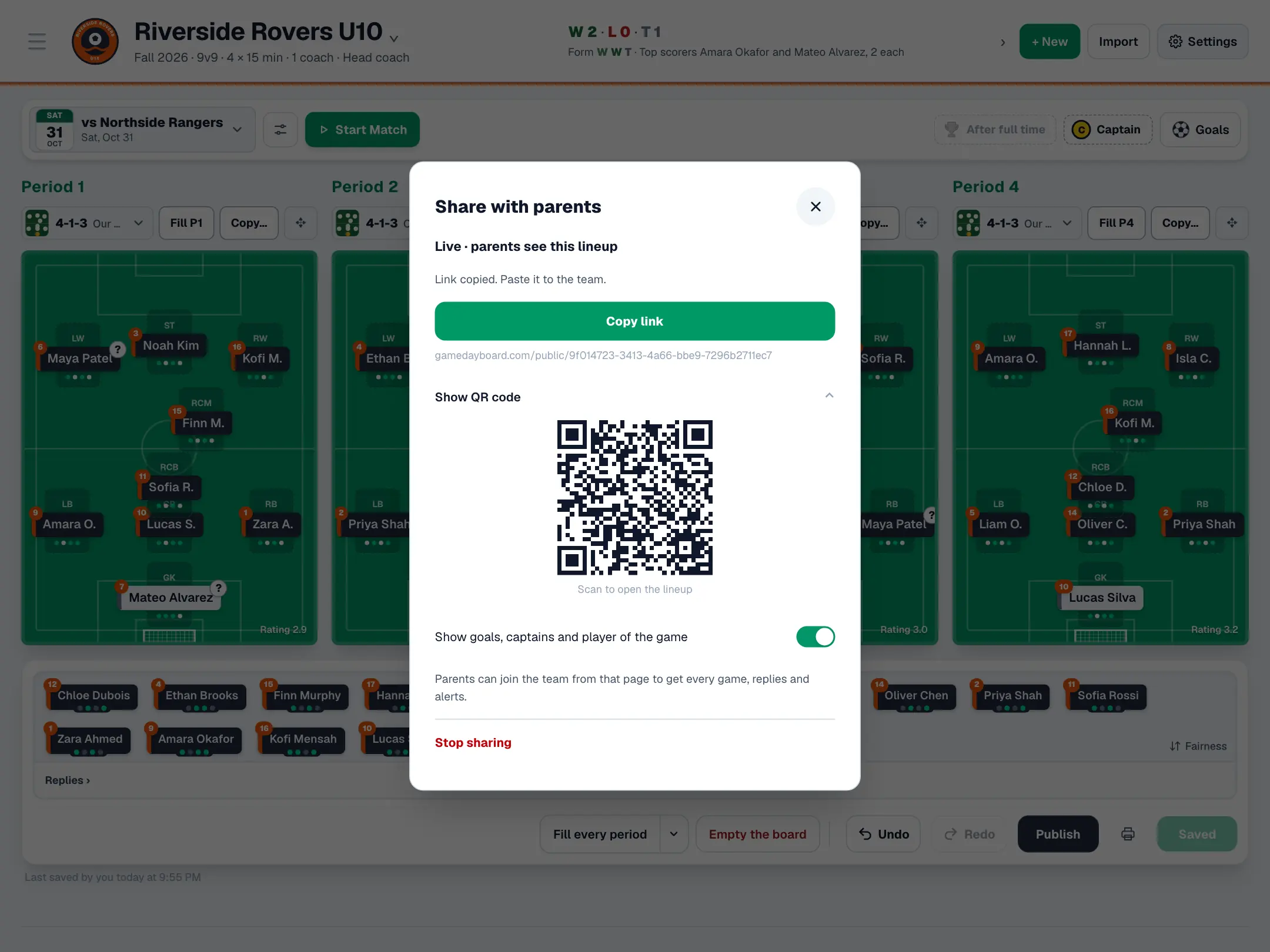
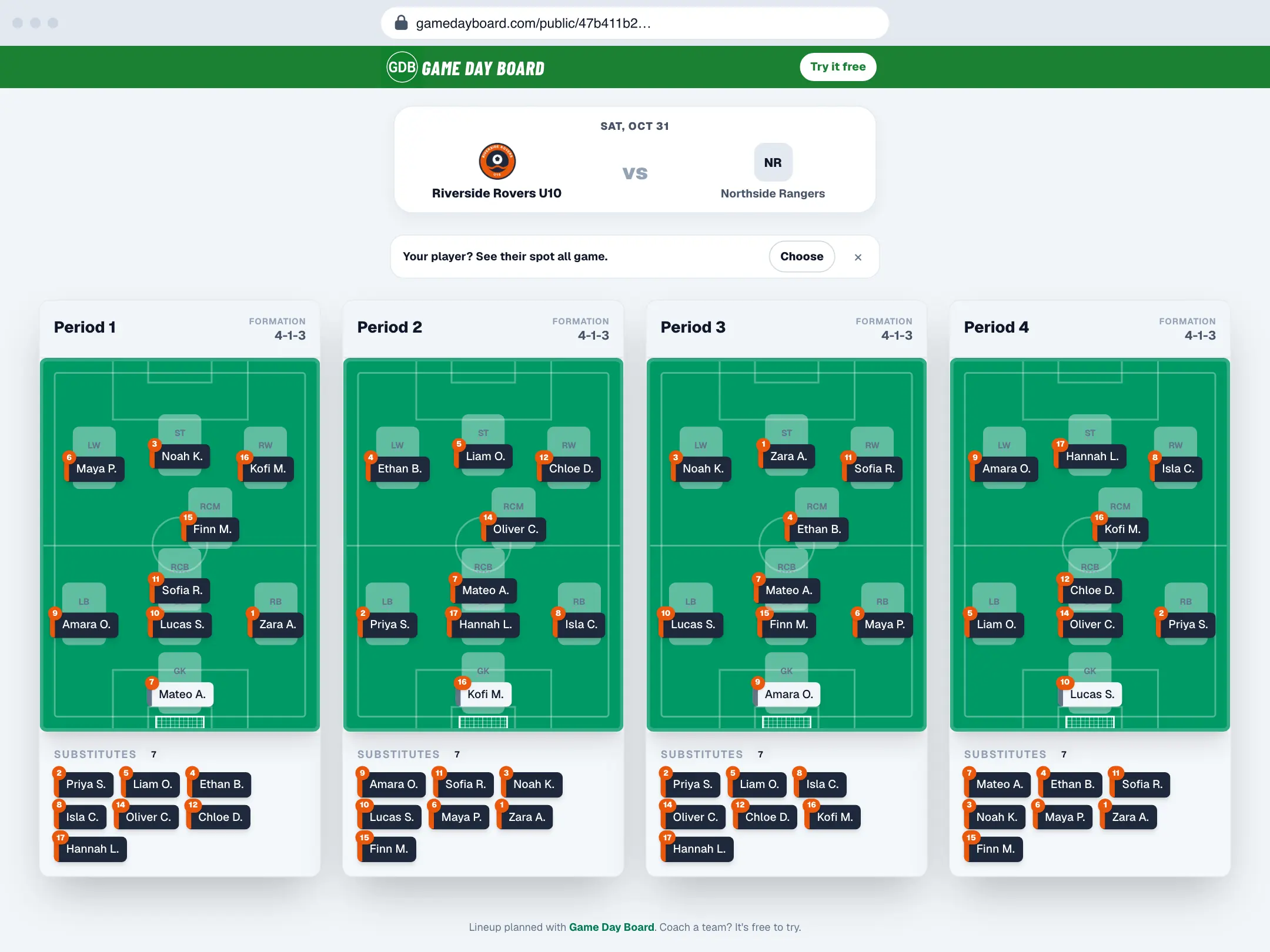
Parents follow every minute
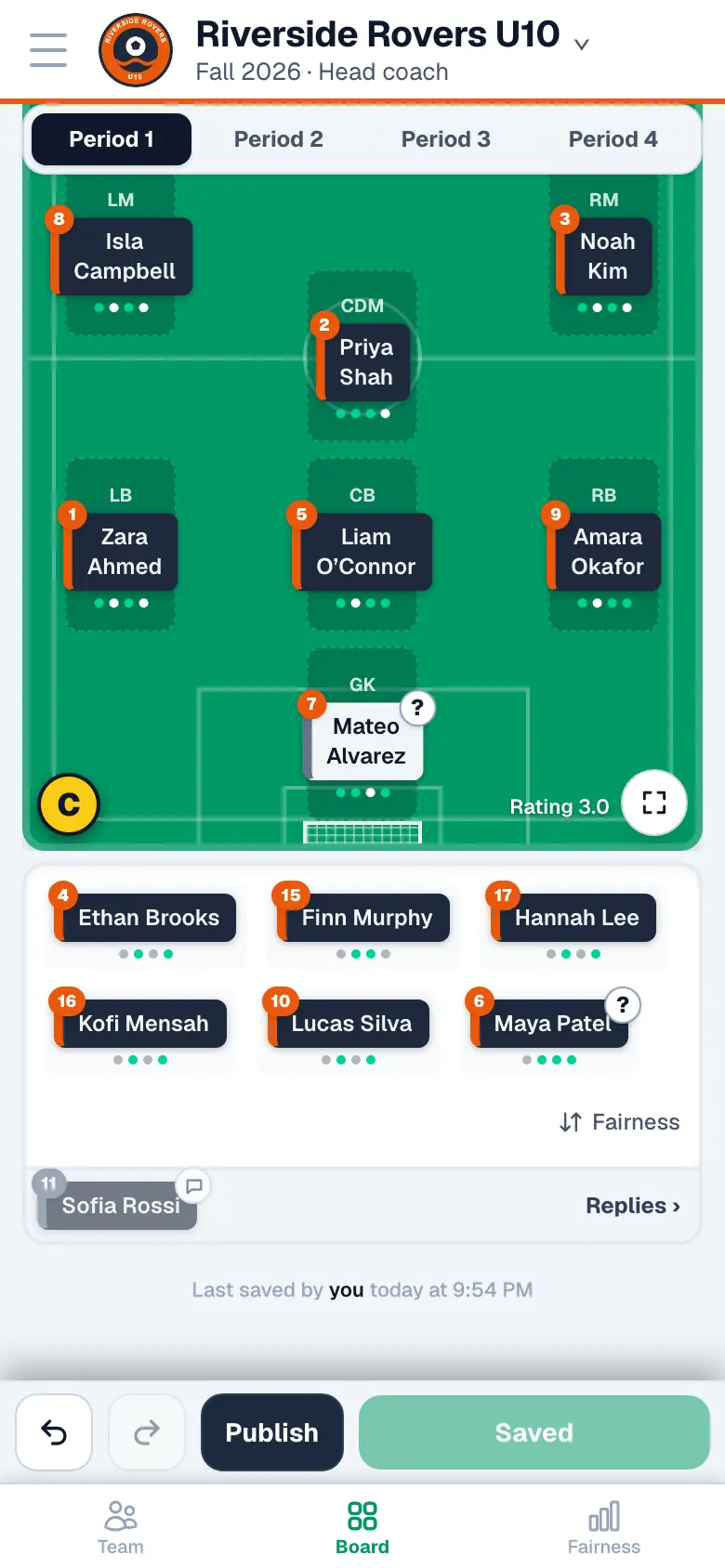
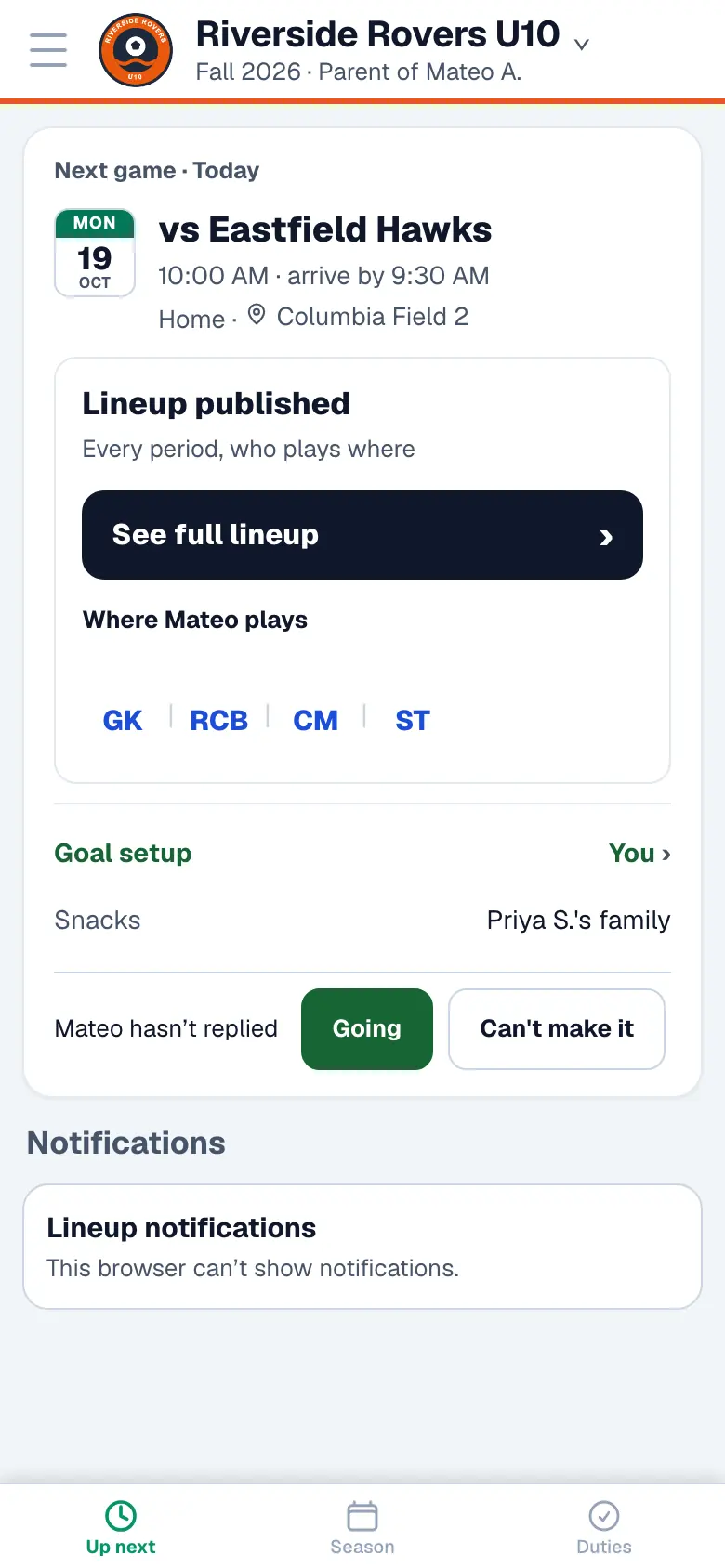
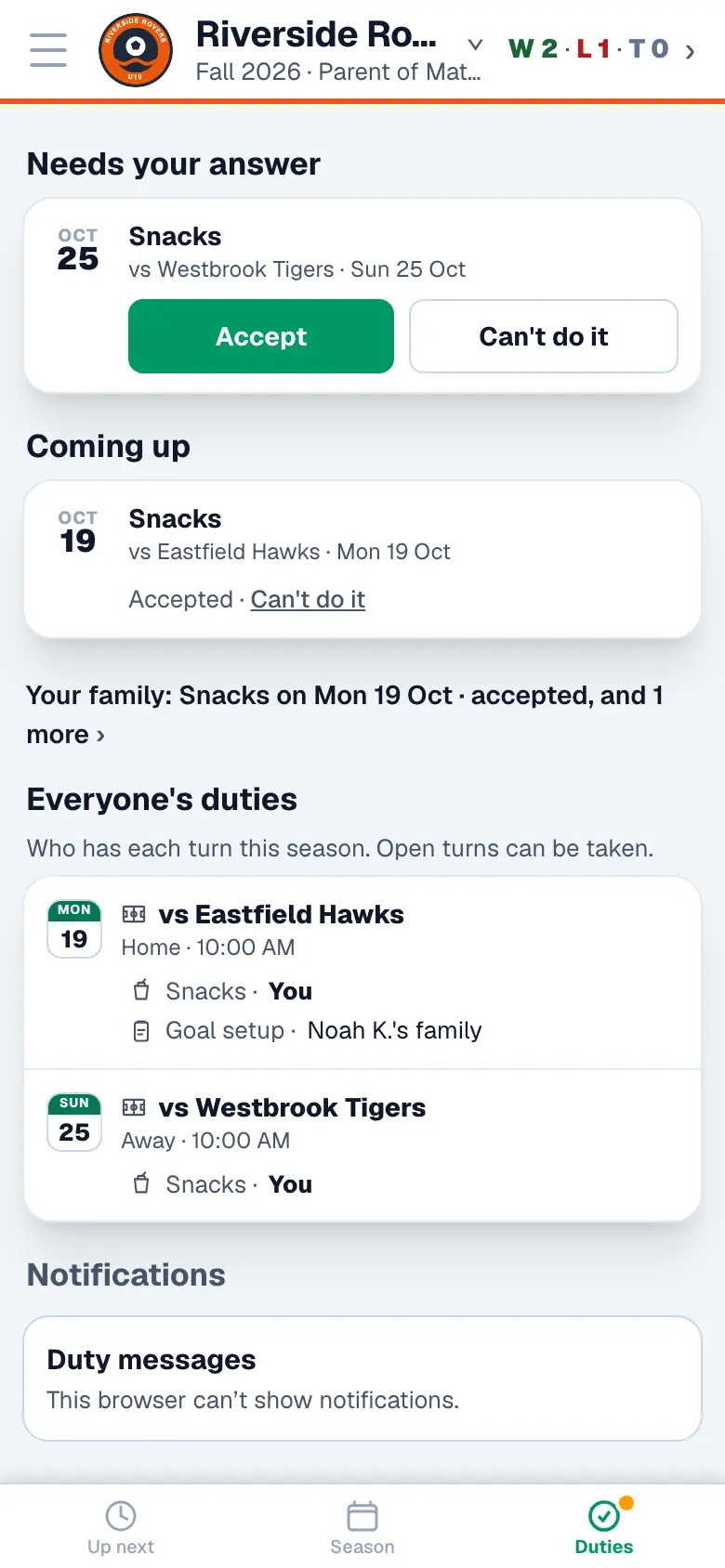
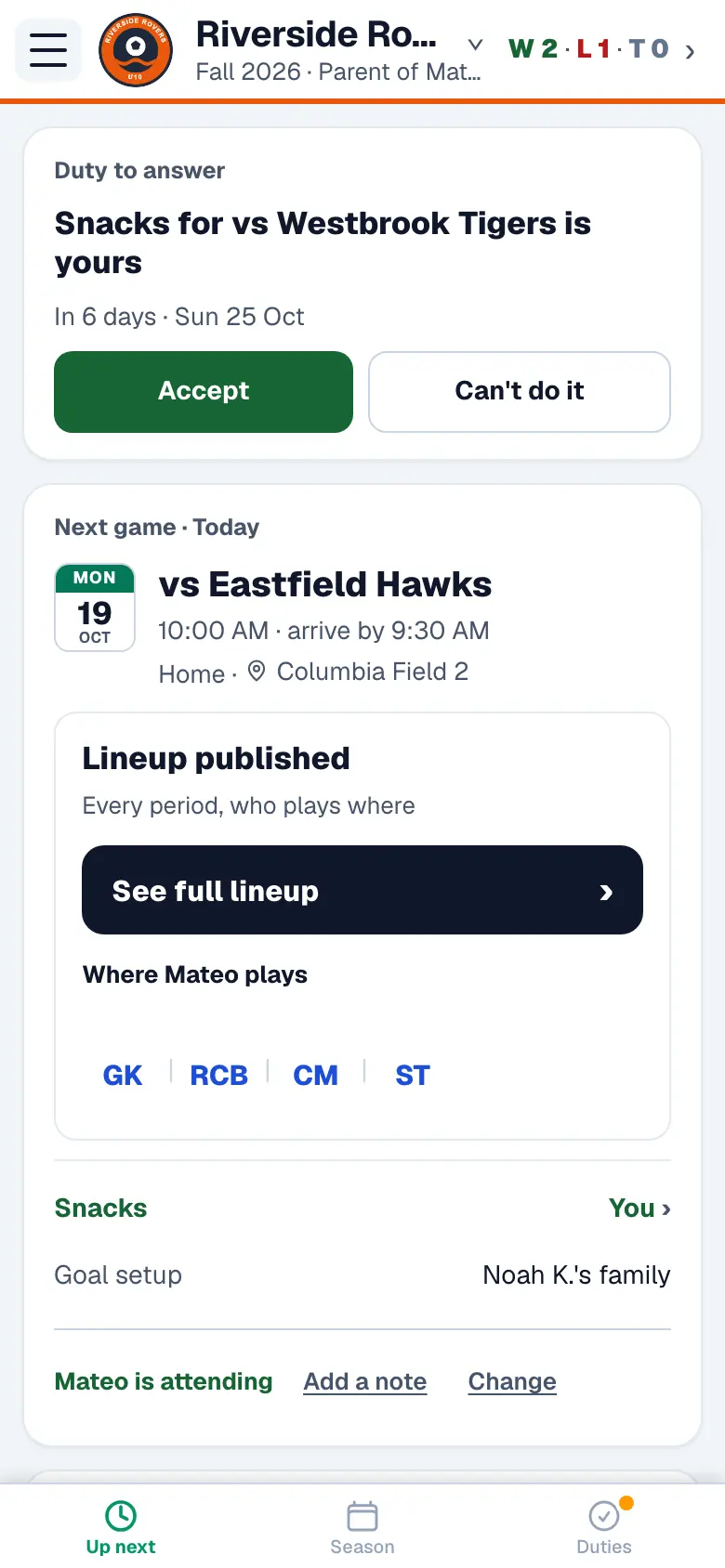
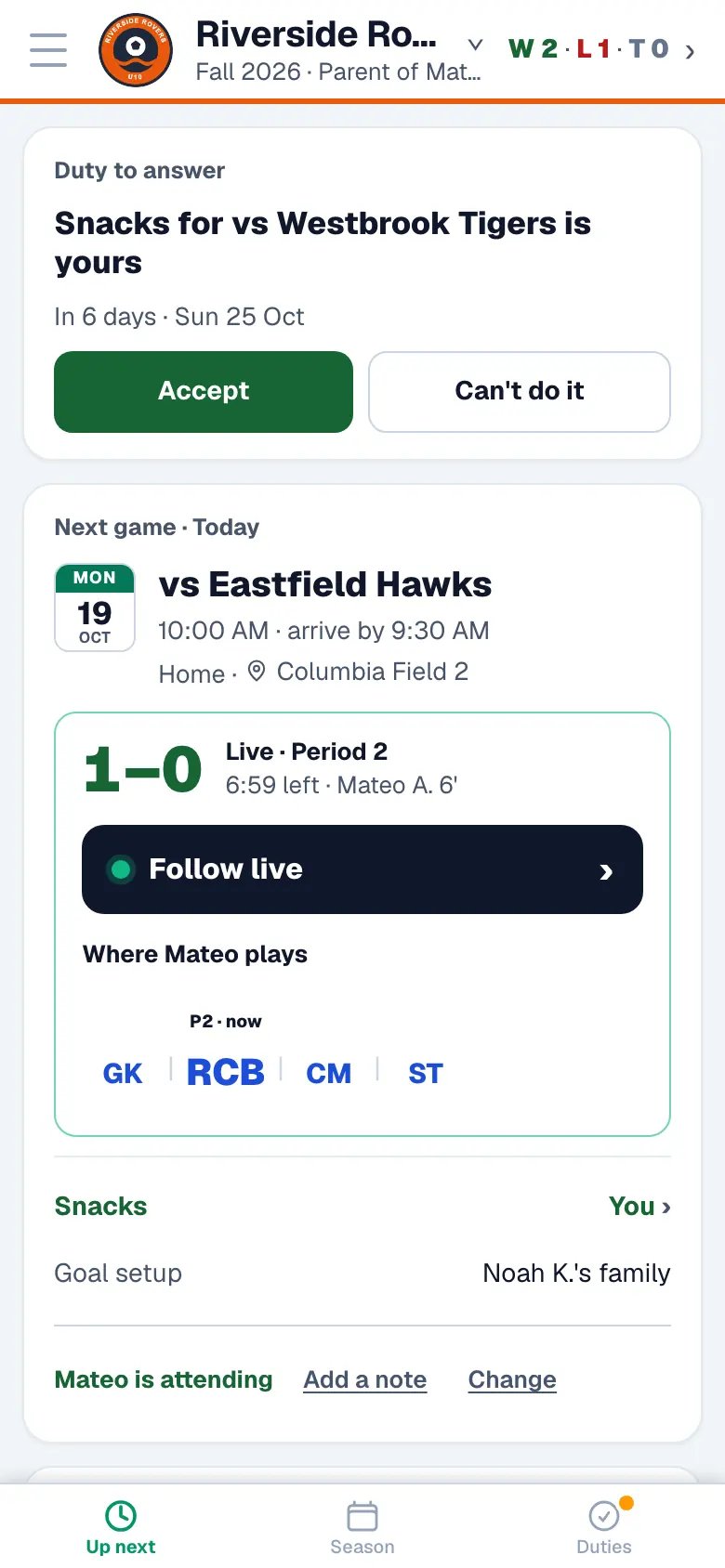
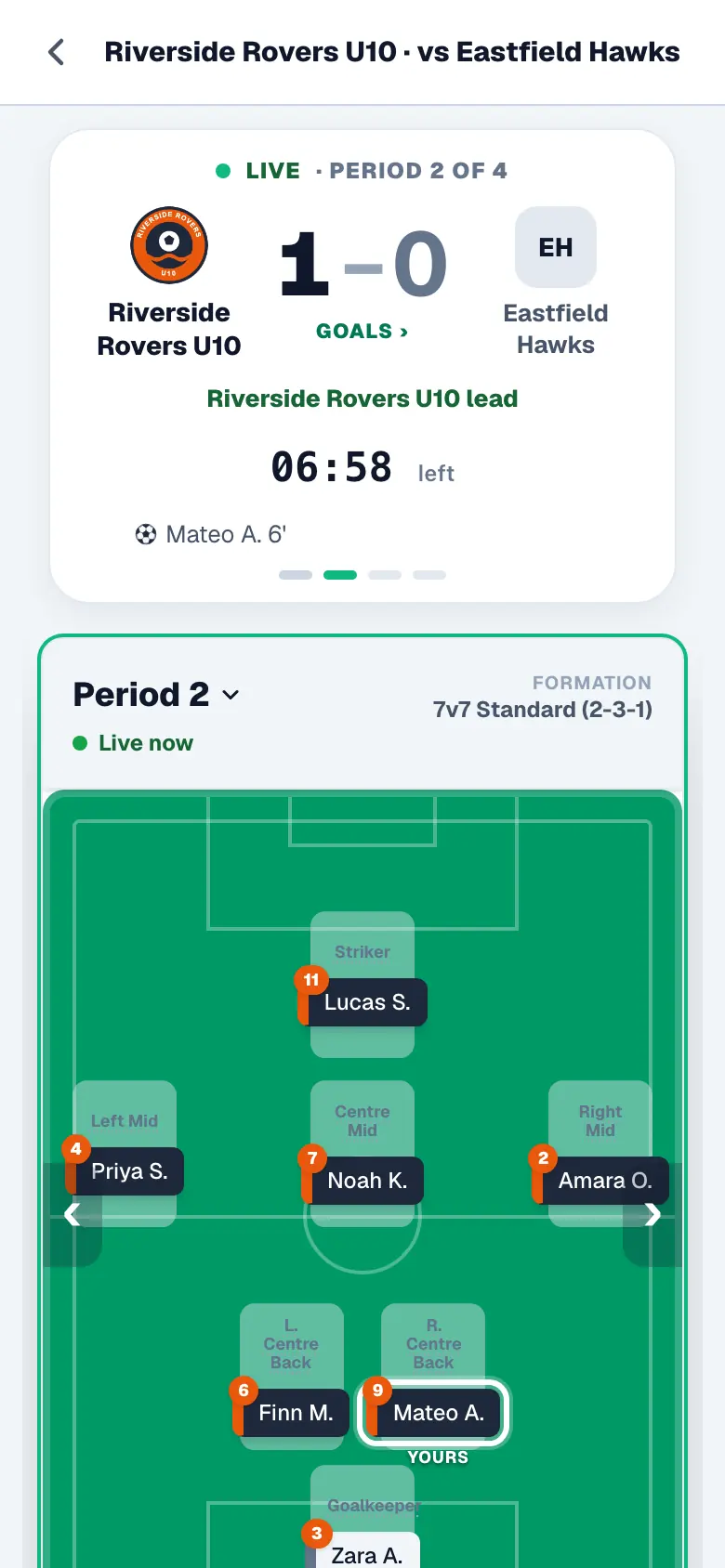
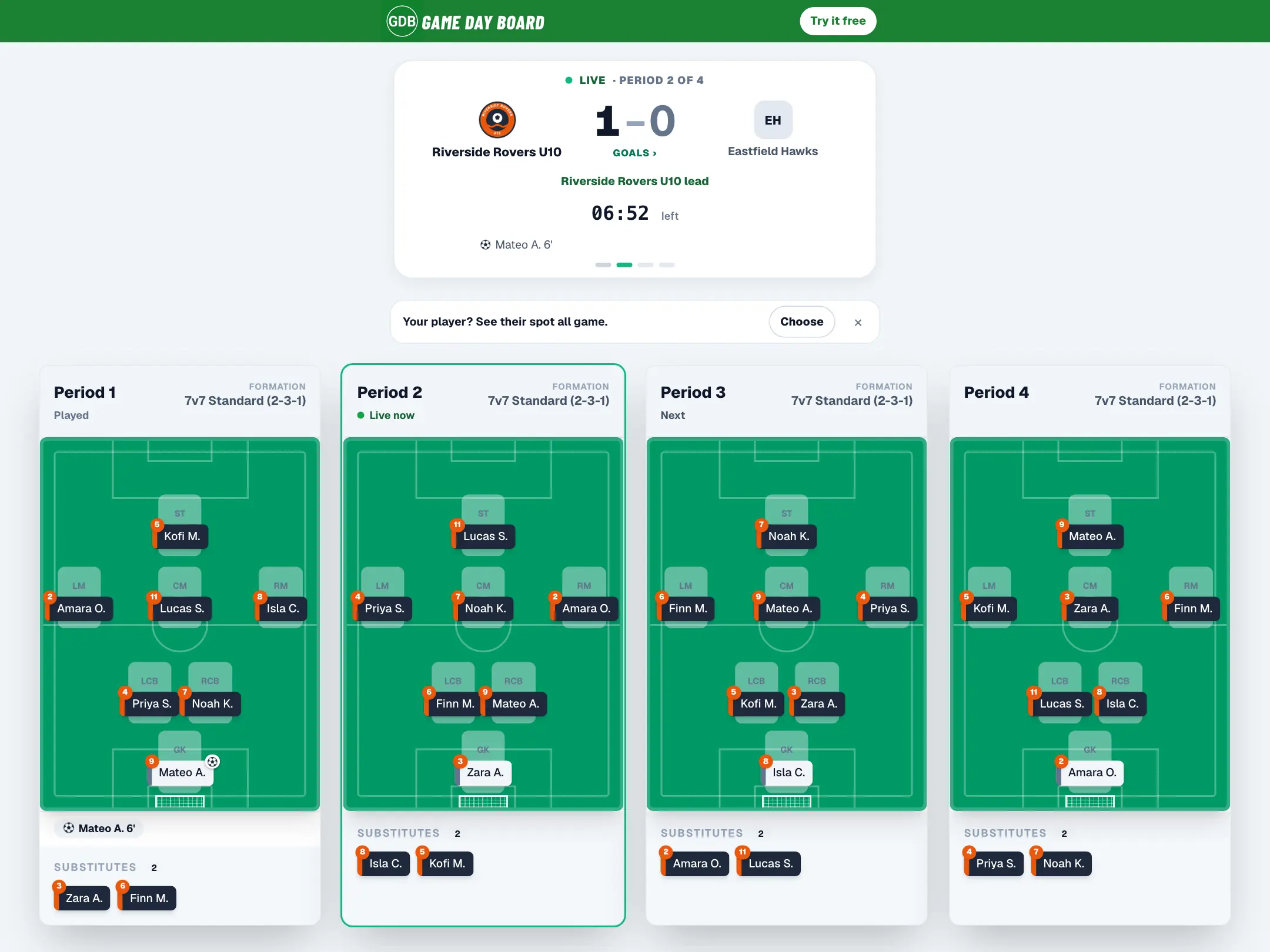
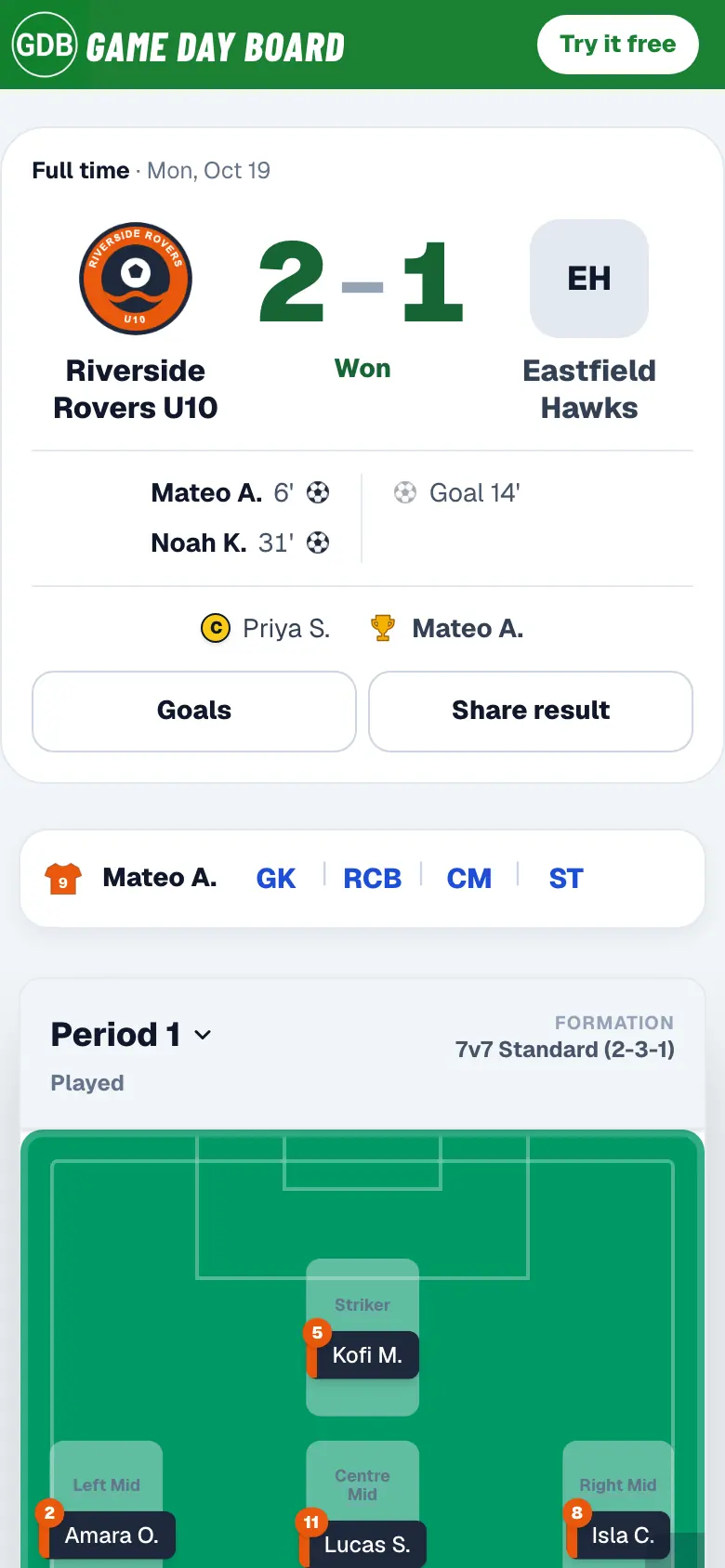
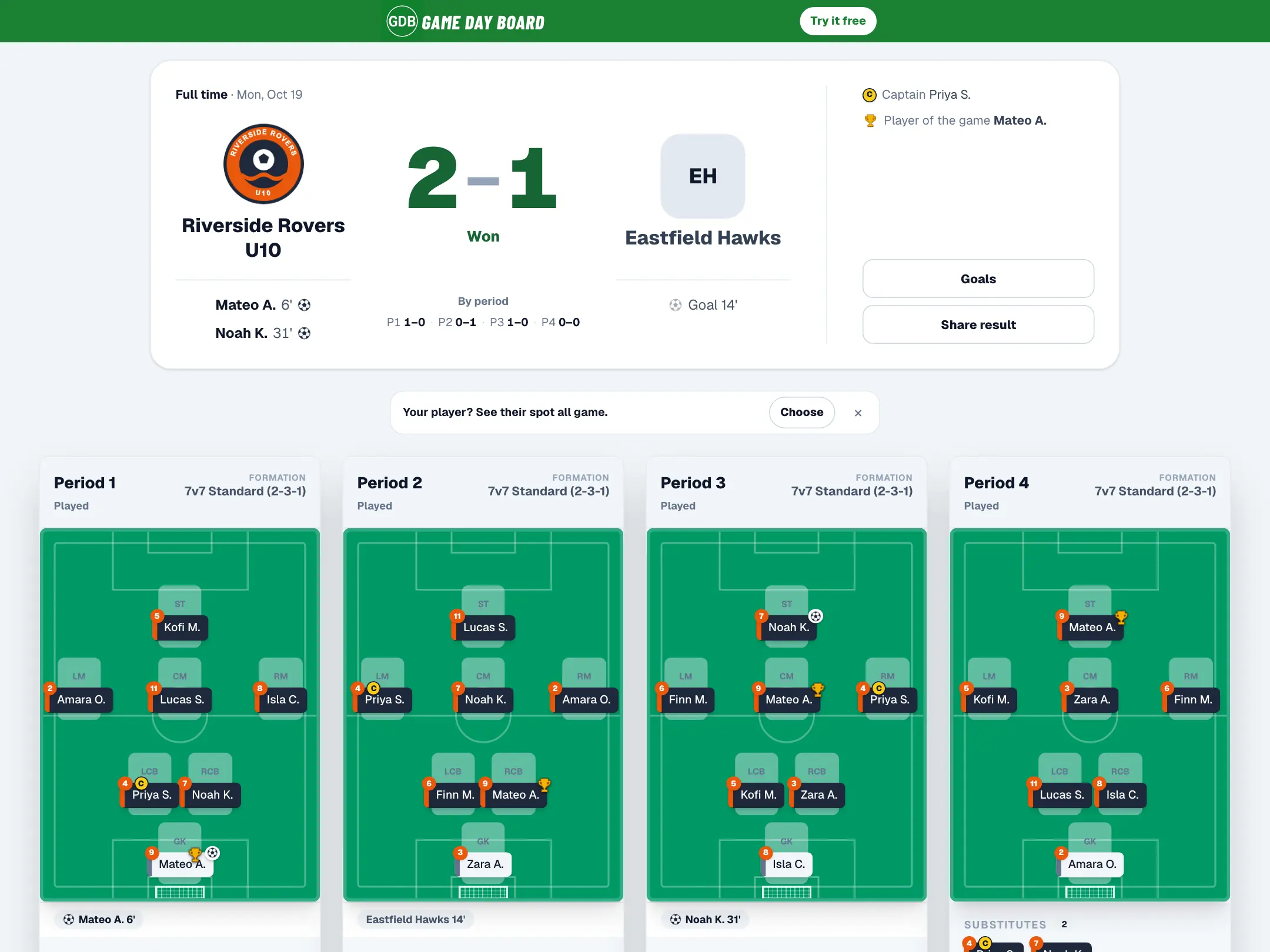
What needs them now: the next game, where their child plays, and their duties. On game day the score and the clock are live, and the whole board is a tap away. Parents don't need to sign in to see the lineup; they can sign in for replies, attendance and duties.
Game day, handled
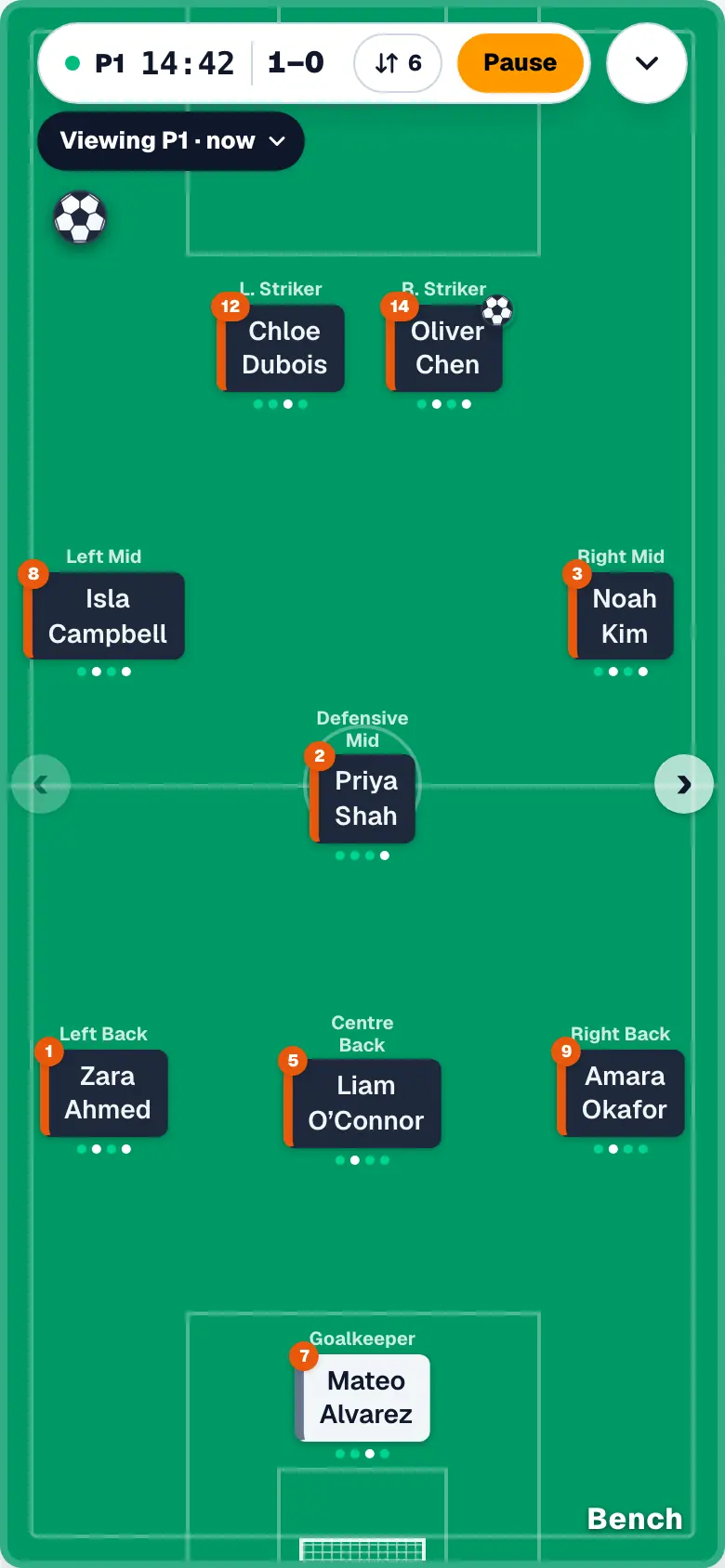
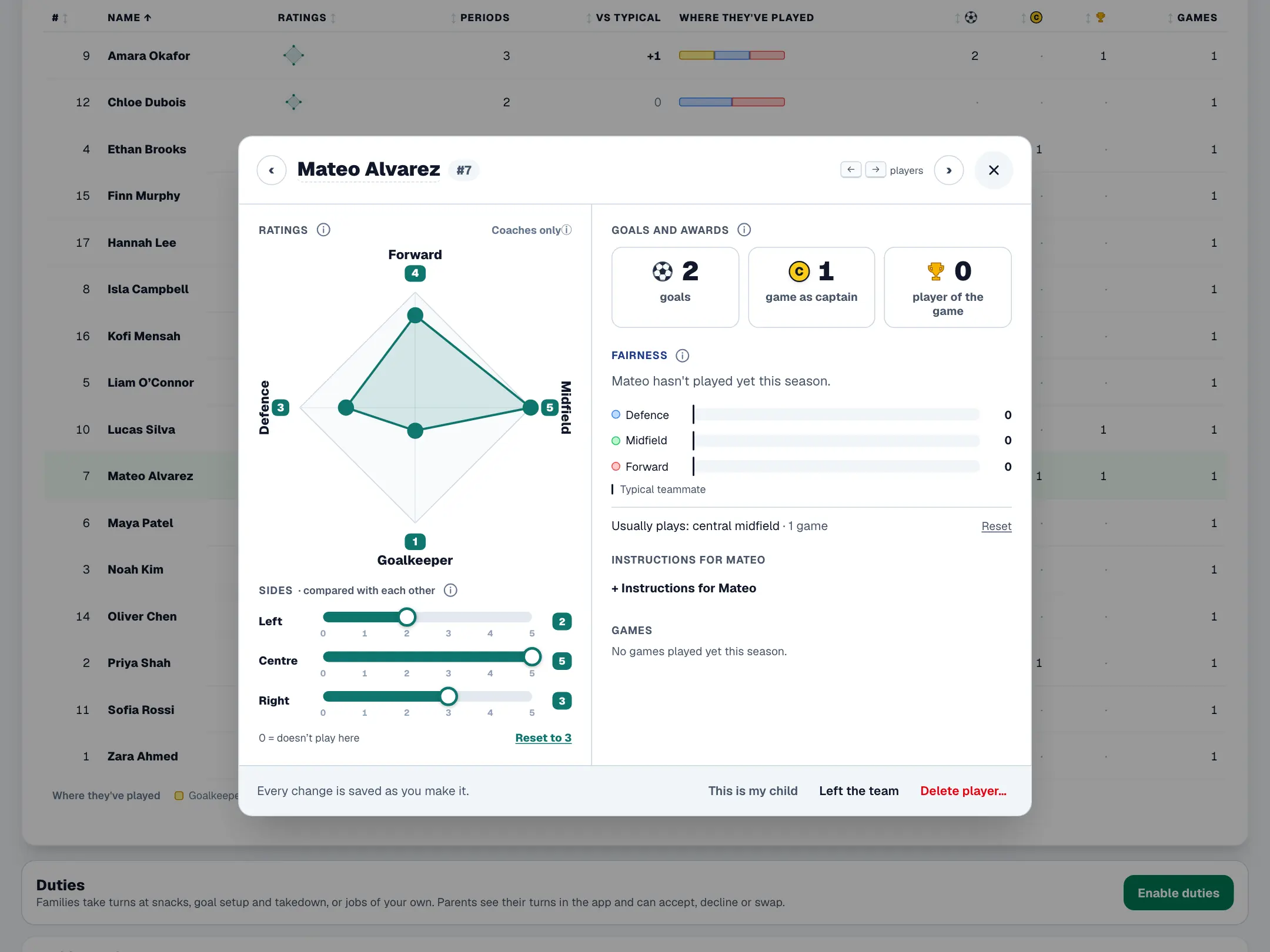
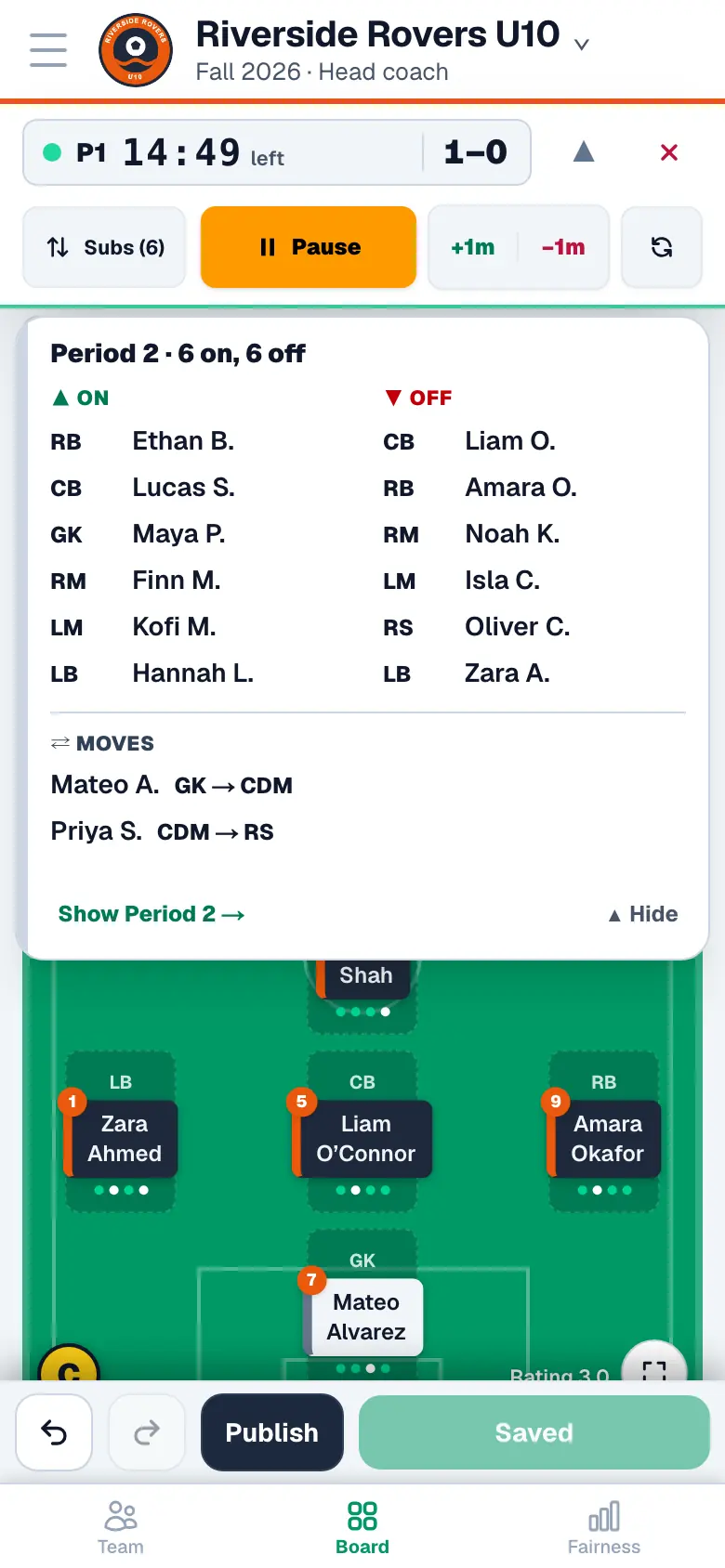
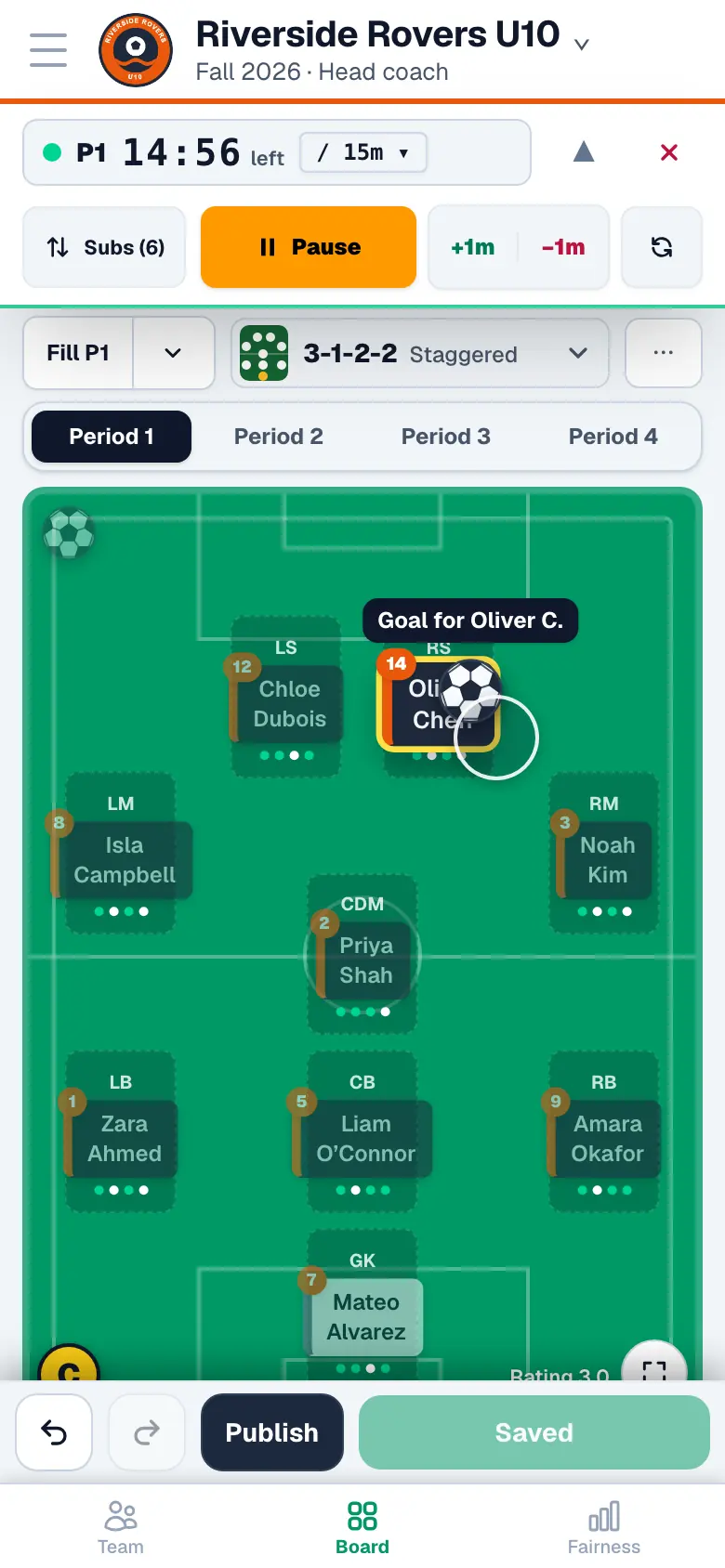
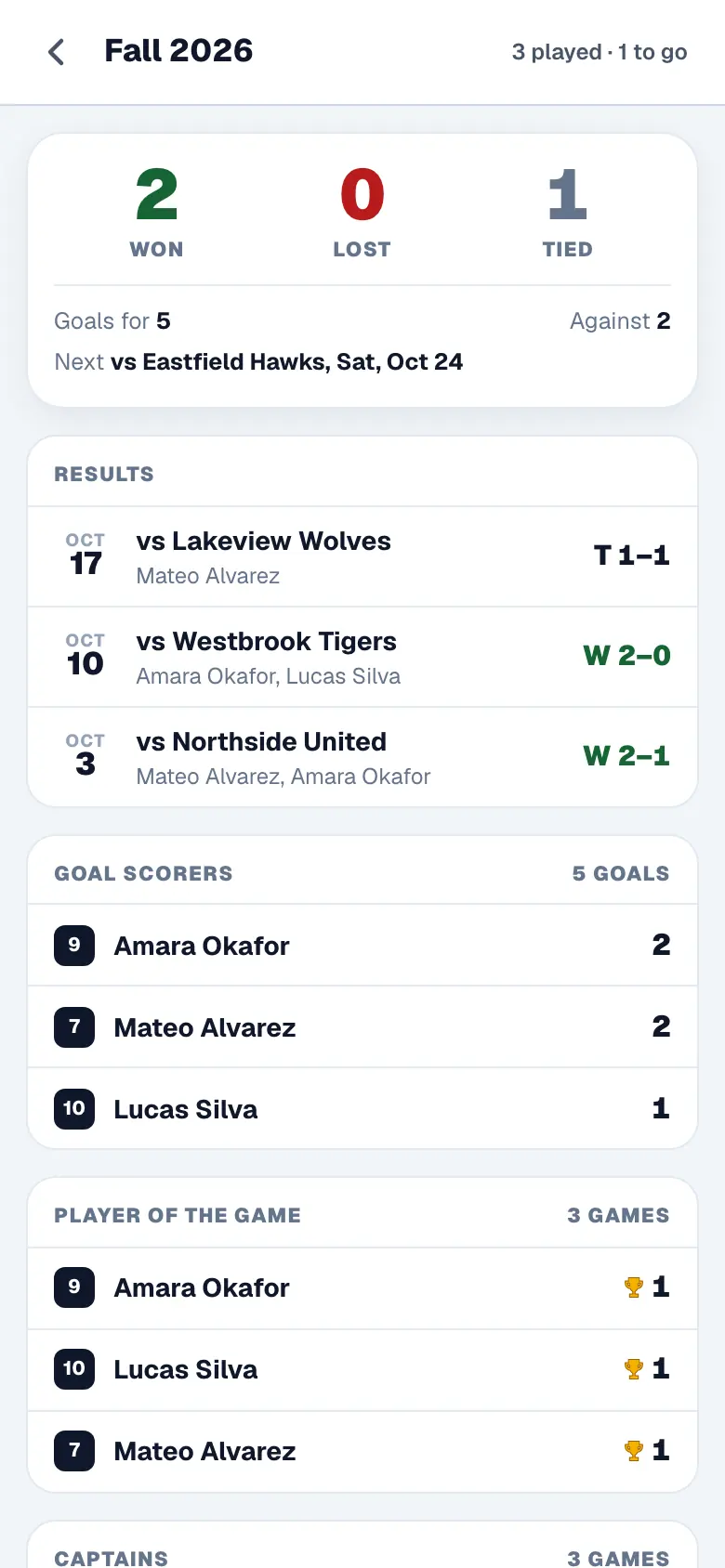
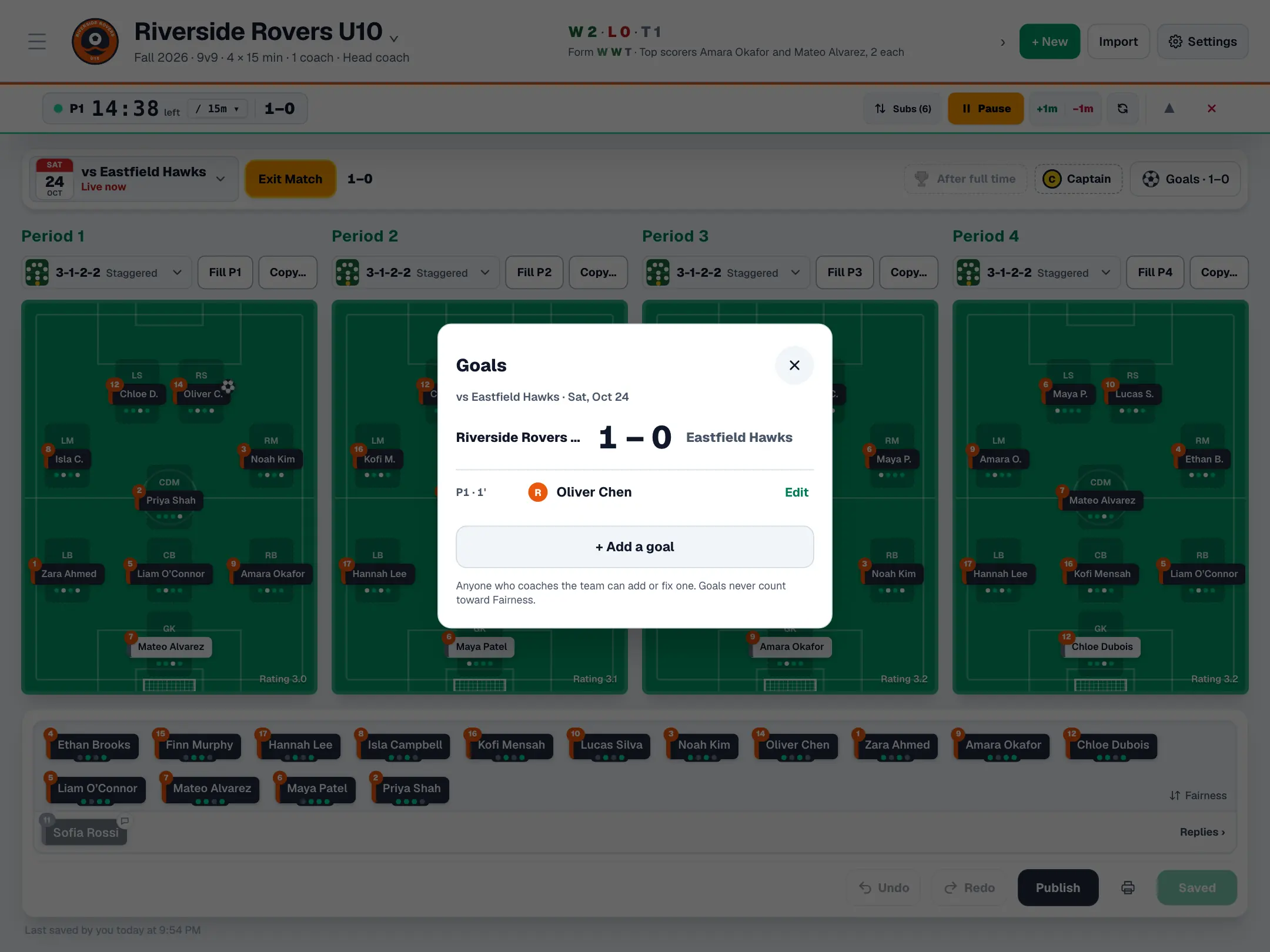
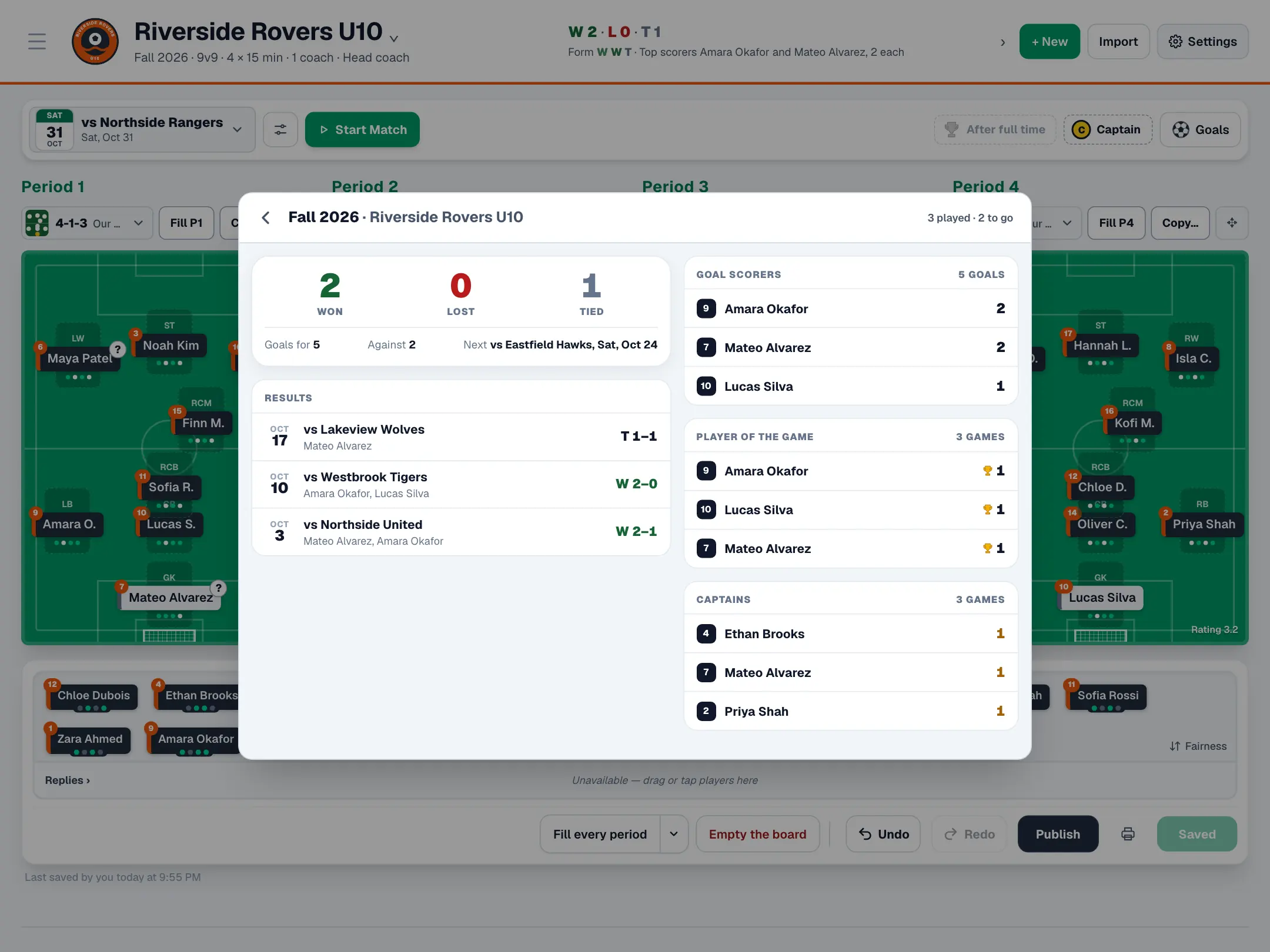
Start the clock and the app keeps time. Before each change it tells you who's coming on and off. Pick a captain and the player of the game. Track goal scorers, and the Team page counts them for every player, game after game.
A watch app with the clock and the next change on your wrist is coming soon.
Do it all from your AI assistant
Connect Game Day Board to Claude or ChatGPT and ask in plain words. About 90 tools cover everything the app does.
- Who’s behind on playing time?
- Import my schedule and add training every Tuesday.
- Set up the lineup for Saturday’s game.
- Who have I played in goal this season?
Plan Saturday's lineup against Northside Rangers so everyone gets fair time, and share it with the parents.
Used Game Day Board: plan_lineup, save_lineup, publish_game
Done. Four periods of 3-2-3: everyone plays two or three periods, and nobody sits out twice in a row. It's saved, and the parents have the link.
Fair by design
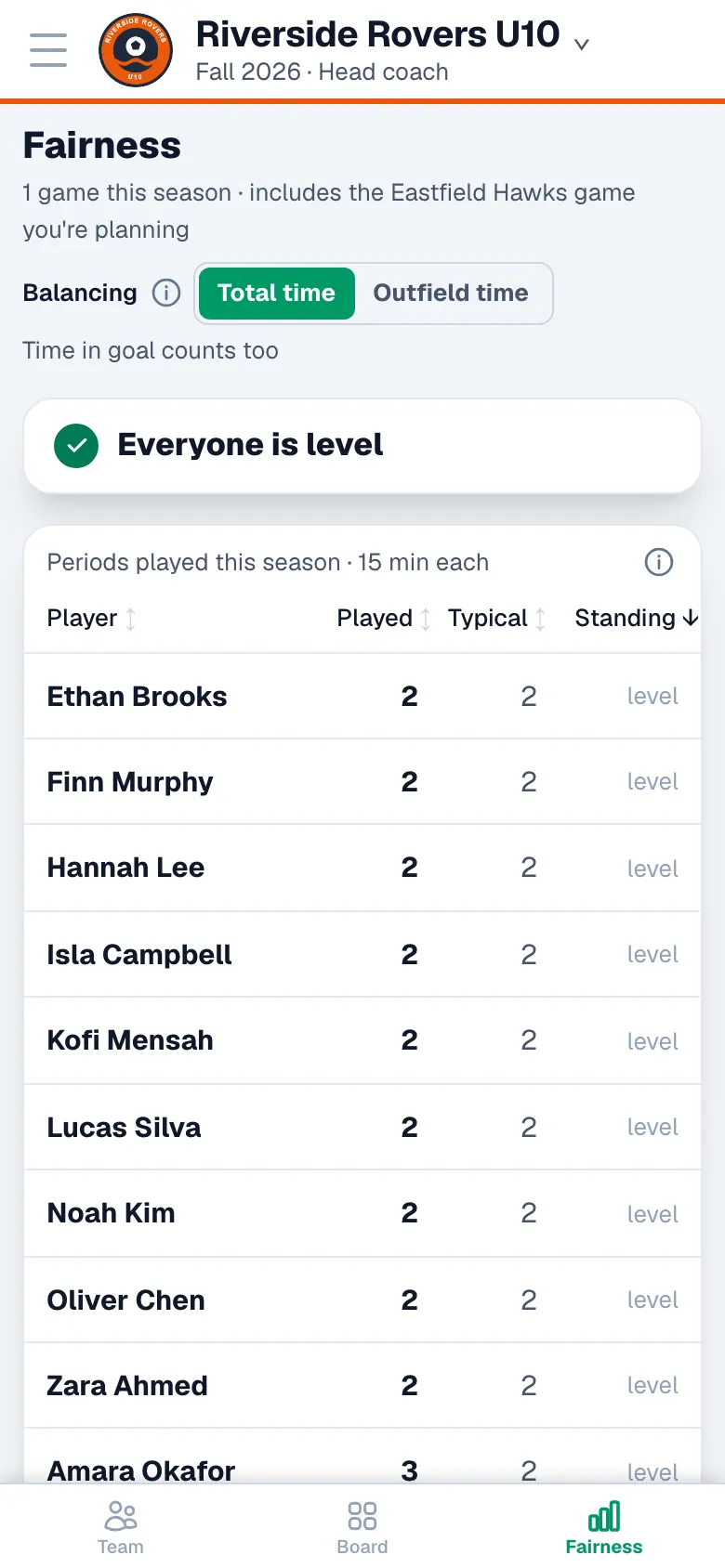
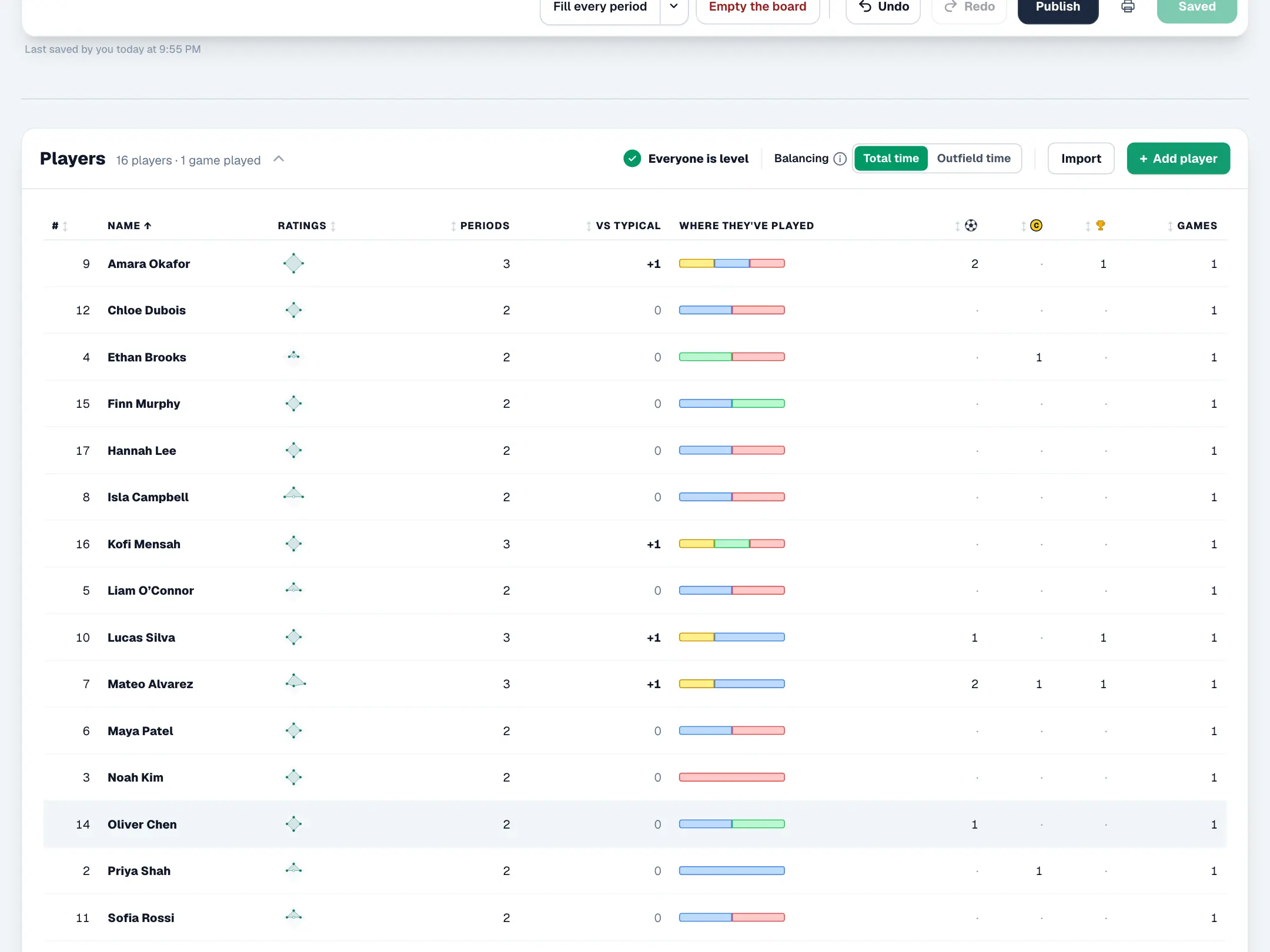
Playing time evens out across the whole season, not just one game, and you can see it: who is ahead, who is behind, and where each child has played. Nobody sits out two periods in a row. And parents never see the figures, only where their own child plays.
Every feature, everywhere
On your phone at the touchline, on your laptop the night before, and through your AI assistant whenever you think of it. Everything you change shows on every device at once.
Plan Saturday's lineup against Northside Rangers so everyone gets fair time, and share it with the parents.
Used Game Day Board: plan_lineup, save_lineup, publish_game
Done. Four periods of 3-2-3: everyone plays two or three periods, and nobody sits out twice in a row. It's saved, and the parents have the link.
Plan Saturday's lineup against Northside Rangers so everyone gets fair time, and share it with the parents.
Used Game Day Board: plan_lineup, save_lineup, publish_game
Done. Four periods of 3-2-3: everyone plays two or three periods, and nobody sits out twice in a row. It's saved, and the parents have the link.
In any browser today. The Android and iPhone apps are coming soon. Want to try them first? Email gamedayboard@gmail.com to beta test.
Questions coaches ask
Is Game Day Board free?
Yes. Coaches, assistant coaches and parents use it free: the board, the live clock, the parents’ page and the AI assistant connection.
Does it work for 5v5, 7v7, 9v9 and 11v11?
Yes. Pick the format and how the game is split (halves or quarters), and the board, formations, live clock and Autofill follow it. You can change format for one game too.
Can parents see playing time?
No. Parents see where their own child plays in each period, the score and the team’s season. Minutes, ratings and the fairness figures stay with the coaches.
How do I connect Claude or ChatGPT?
Add Game Day Board as a connector in Claude or ChatGPT (gamedayboard.com/api/mcp), sign in, and allow it. Then ask in plain words: set up Saturday’s lineup, see who’s behind on playing time, import your schedule. The help page walks through each app.
How does it keep playing time fair?
Autofill builds every period so time evens out across the season, never sits a child out two periods in a row, and learns where you usually play each child. The Fairness view shows who is ahead or behind, and you can always move anyone yourself.
How do duties work?
Turn on the duties your team needs (snacks, goal setup and takedown, or your own) and they are shared fairly between families across the season. Each family sees its turn, accepts it or offers a swap, and can sign up for open ones.
How do I know who is coming?
Parents reply in one tap for each game and training session, and you see who’s coming on the board as you plan. One tap reminds only the families who haven’t answered.
Does it work on my phone and my laptop?
Yes, and every feature is on both: build the lineup on a laptop, run the clock from your phone on the touchline, or ask Claude or ChatGPT to do either. Your changes show on every device straight away.
Is it only for soccer?
Soccer today; other sports are coming soon. Email gamedayboard@gmail.com to tell us which sport you’d like.
Is there an Android or iPhone app?
Coming soon. It works in any phone browser today. Email gamedayboard@gmail.com if you’d like to beta test the apps.
Does it track captains and player of the game?
Yes. Pick a captain and a player of the game on game day, and the Team page counts them for every player, beside their goals, all season.
Do parents need an account?
No. A parent can follow a shared lineup from a link. Parents who join the team in the app also reply Going or Can’t make it, see their duties and get a notification when the lineup is out.
Your next game, planned in minutes.
Get started free